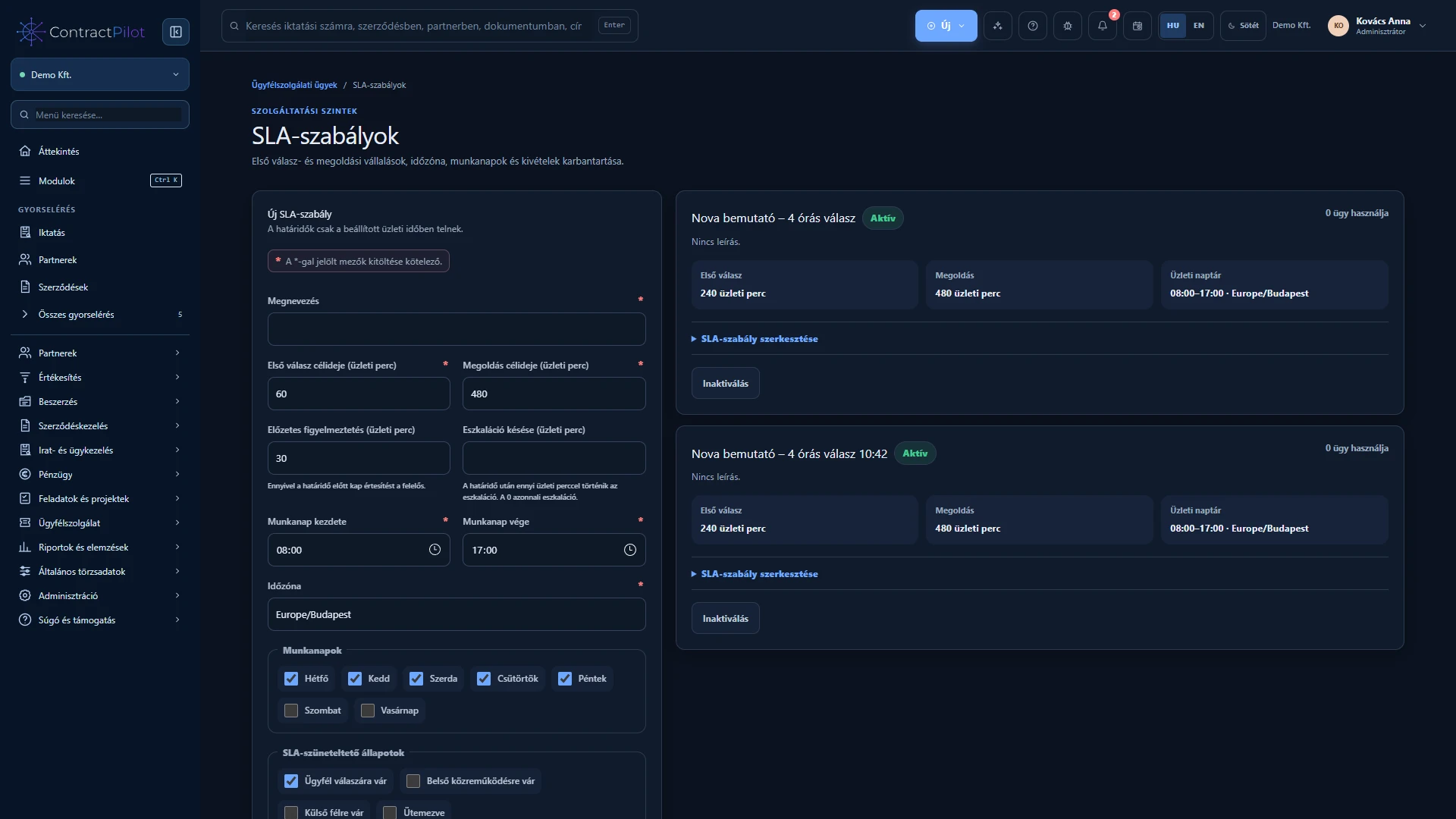
An SLA defines the first-response and resolution targets. The system tracks them against configured working days and holidays.
What can you do in this module?
- 01
Configure response and resolution targets, time zone, working days, office hours and holidays.
- 02
Use the contract’s default SLA, a service item’s policy or an authorised manual override.
- 03
Commitments are preserved when a case starts; later policy changes do not rewrite an existing case.
- 04
Separate response and resolution clocks, with resolution pauses in selected waiting states.
- 05
Advance warnings and escalation after a deadline, including reassignment, priority changes and notifications.
- 06
A traceable SLA timeline and separately enabled customer alerts for upcoming, breached and escalated targets.
What does a service deadline mean?
First-response time and resolution time are separate commitments. Configure the time zone, working days, office hours and holidays. Two business hours do not necessarily mean two elapsed hours: a request near closing time may carry over to the next working day.
Warnings and escalation
A service line can refine the contract’s default policy. The commitment in effect when the case starts is preserved; later policy edits do not change it retrospectively. Configure warnings, priority changes and reassignment as deadlines approach or pass.
For example, a Monday–Friday 08:00–18:00 calendar could use a two-business-hour response target and a sixteen-business-hour resolution target. This is an illustrative configuration, not a general ContractPilot service promise. Your agreed contract determines the actual commitment.
Availability and operating conditions
Commitments depend on the configured policies. Customer SLA notifications are off by default and can be enabled separately.
Available functions depend on your organisation’s setup and your permissions.