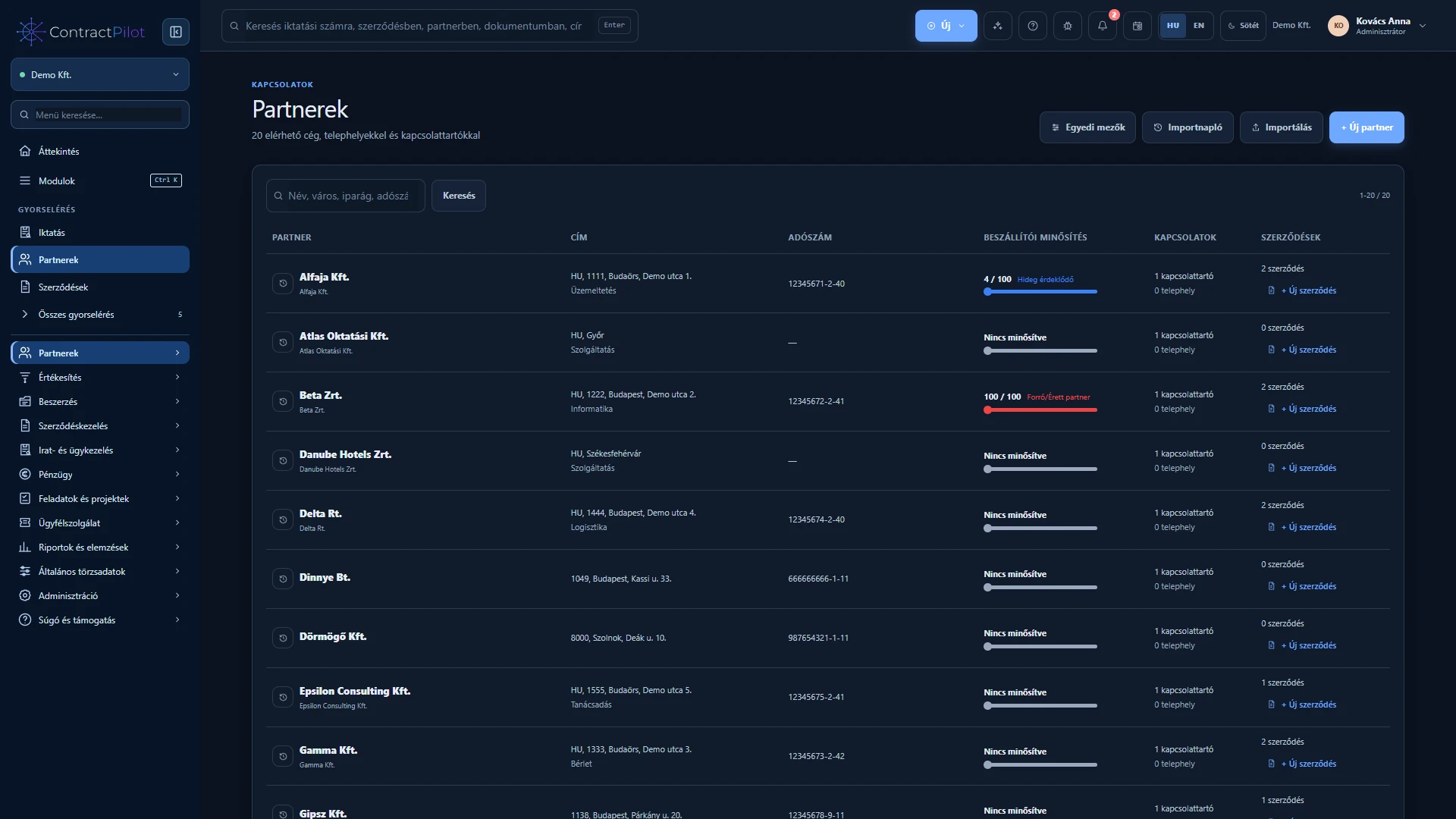
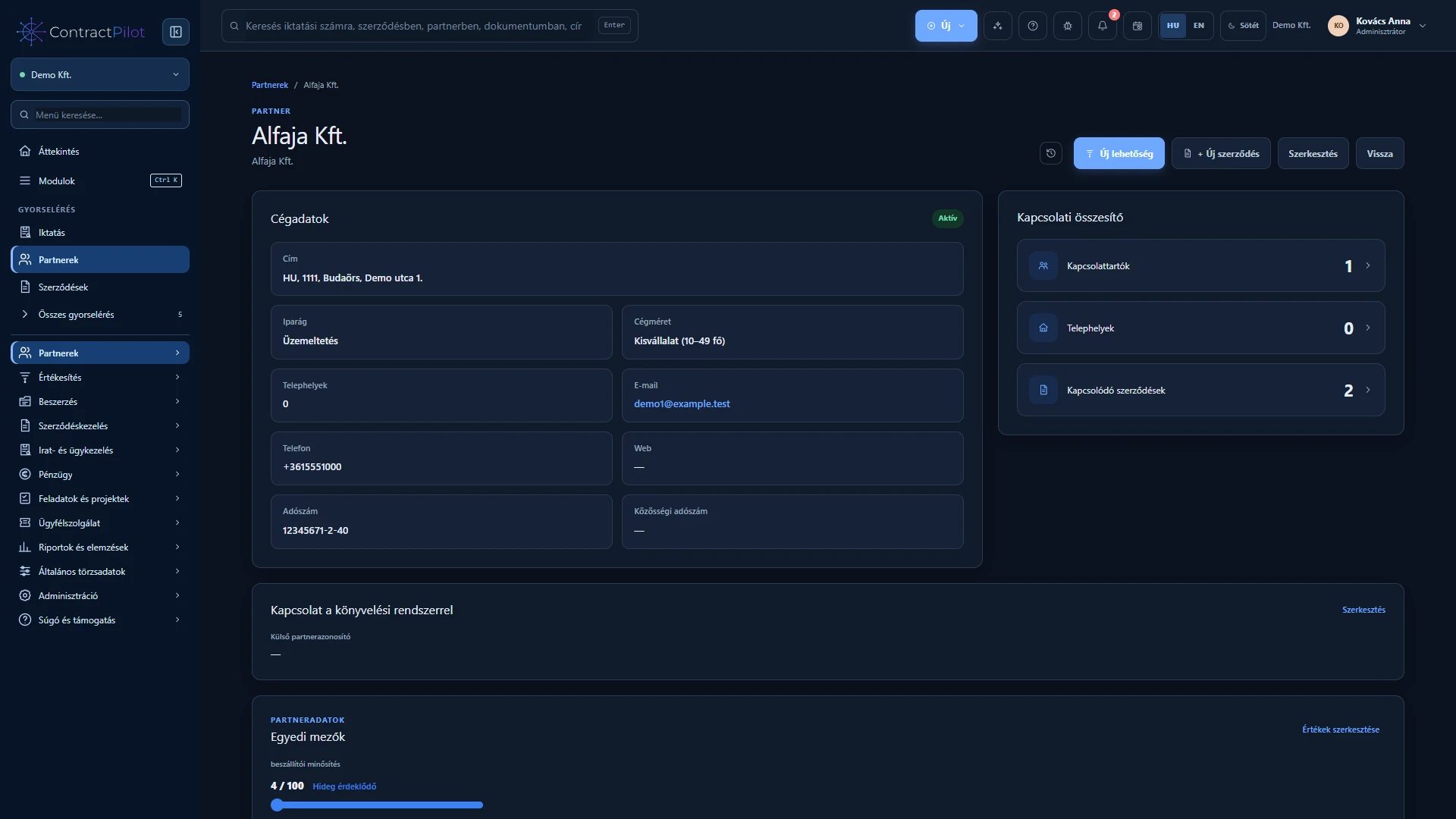
Partner records support both contracts and customer service. A partner can have several locations and contacts.
What can you do in this module?
- 01
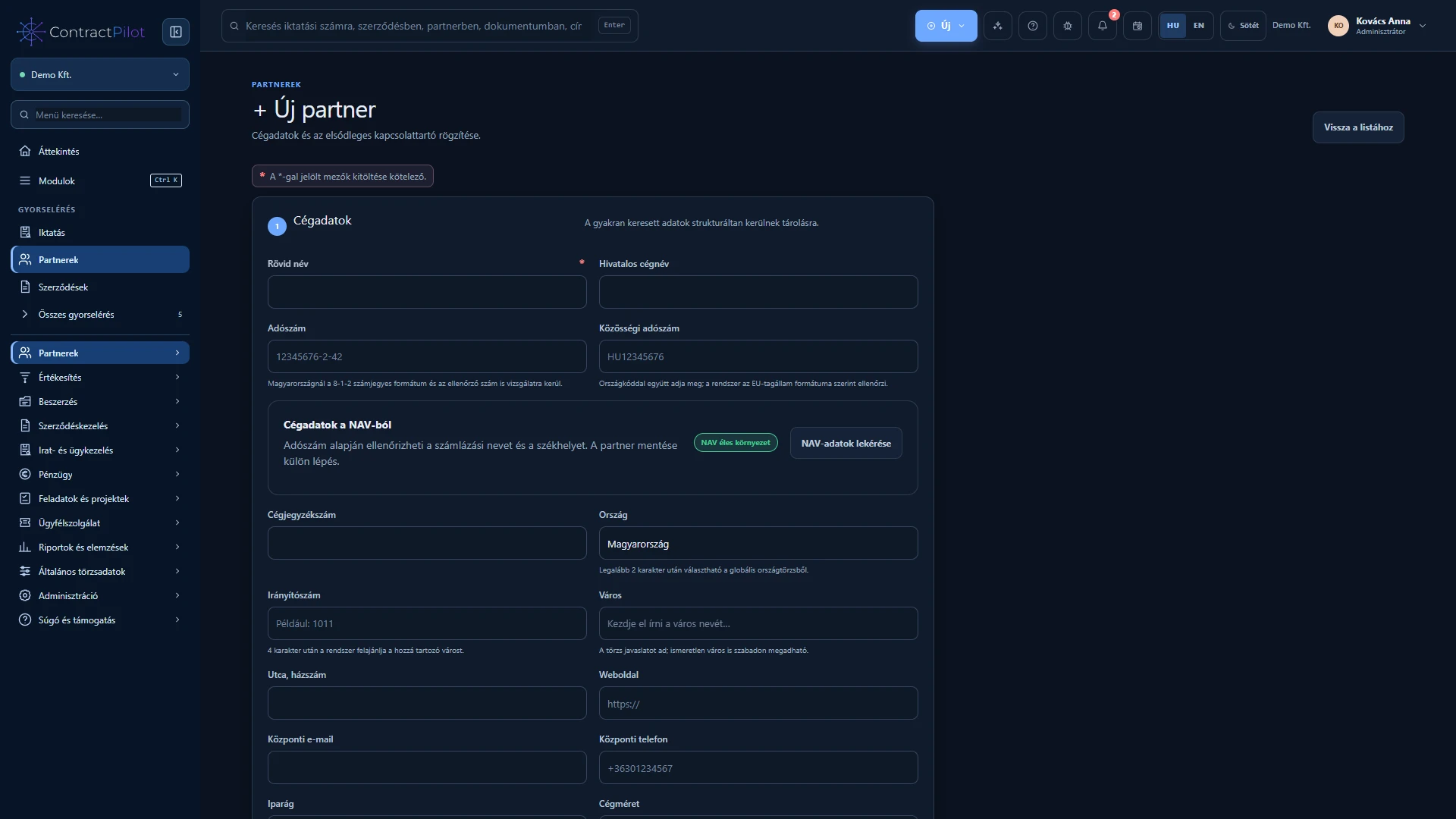
Legal and short company names, addresses, tax identifiers, contact details, industry, active status and notes.
- 02
Multiple locations and contacts, a primary contact and an overview of related contracts.
- 03
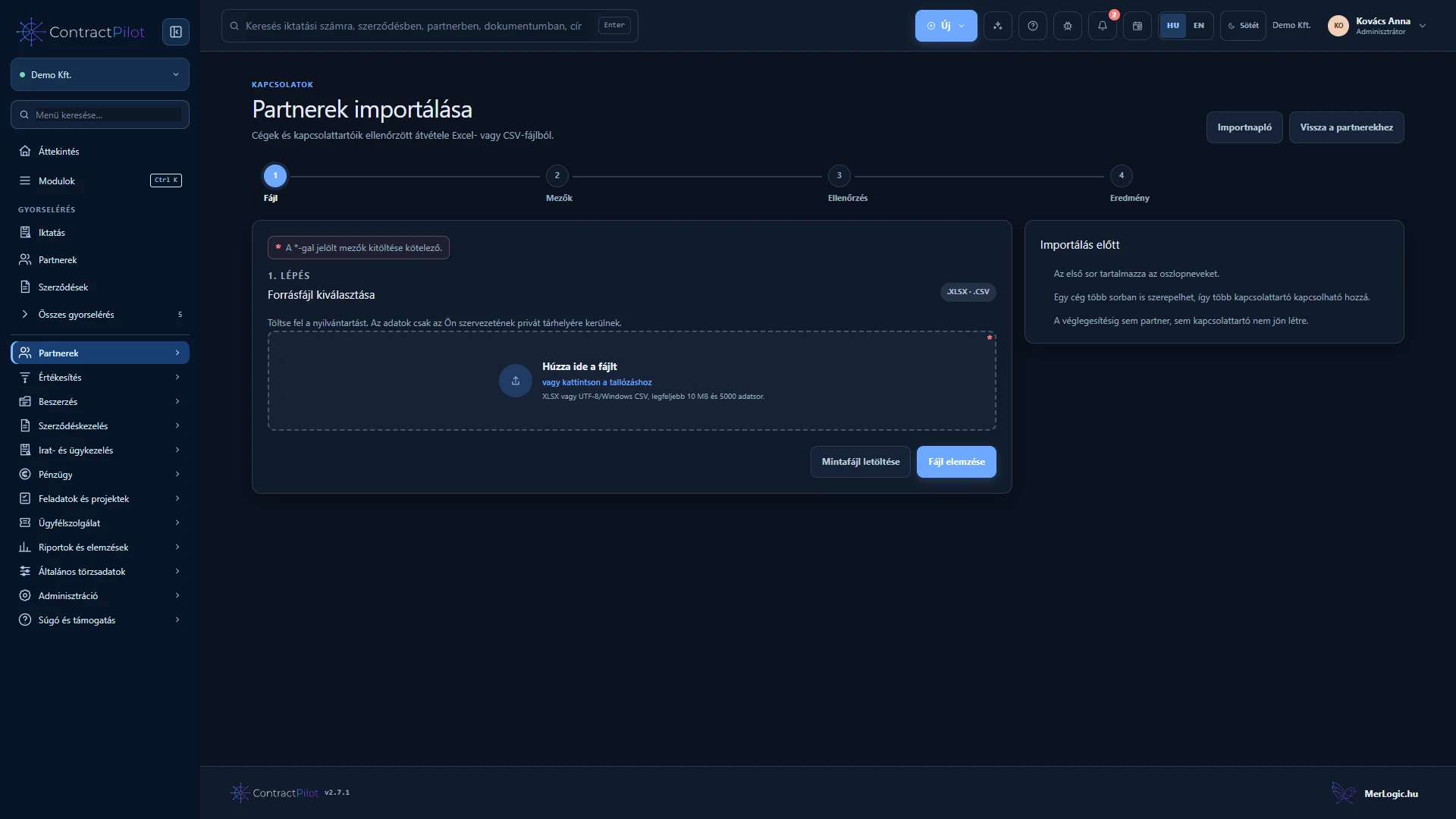
XLSX and CSV imports with column mapping, trial validation, existing-partner matching and optional updates.
- 04
Tax identifier and name conflict checks, downloadable row-error reports and multiple contacts in one import.
- 05
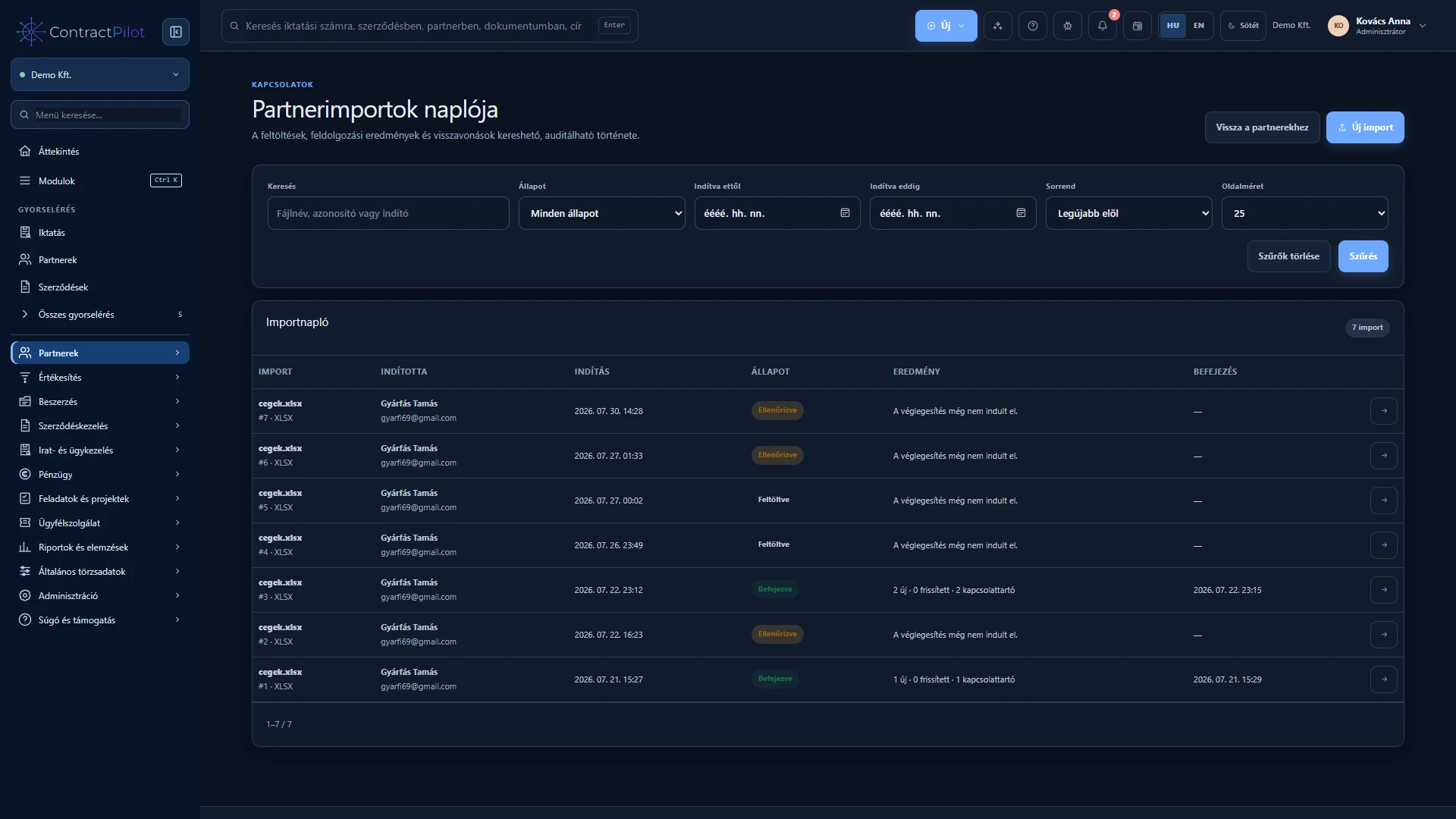
Searchable import history and conditional reversal. Records changed or used in business processes since import remain protected.
- 06
Custom partner fields, searchable columns and approved service domains for reviewed or conditional automatic case creation.
Partner records throughout the process
First check whether the company or individual already exists. The same partner can be connected to an opportunity, proposal, contract and service case. A contact is the person you discuss that business matter with and may differ from the invoice recipient.
Start an opportunity or contract directly from the partner record. Internal references, addresses, tax details, contact information and custom fields help align the record with your organisation’s needs.
Import in checked stages
After selecting an XLSX or CSV file, map columns to partner fields. Run a trial import, review errors and duplicates, and correct the source before the real import. Contacts and custom fields can also be imported.
Search the import history to review results later. Reversal is not unrestricted deletion: records changed or connected to business processes since import are protected. Save legacy XLS spreadsheets as XLSX or CSV first.
Check and accept NAV company data
With an active, configured NAV connection, use the first eight digits of a Hungarian tax number to retrieve the official company name and registered address. Empty fields can be filled; compare existing differences field by field and choose what to accept or retain. Saving the partner records the change.
Partner search also shows addresses. With the required permission, a tax-number search with no match can create a partner from NAV data. Foreign partners and missing connections do not trigger Hungarian NAV retrieval. Partner details preserved on earlier invoices remain unchanged.
Supplier ratings
Optionally record a supplier rating from zero to one hundred. An empty rating does not mean zero points. A colour indicator helps review the list; the score is your organisation’s own assessment, not an external credit rating.
Availability and operating conditions
Legacy binary XLS files are not supported. Domain-based automatic case creation requires approved settings and unambiguous service entitlement.
Available functions depend on your organisation’s setup and your permissions.