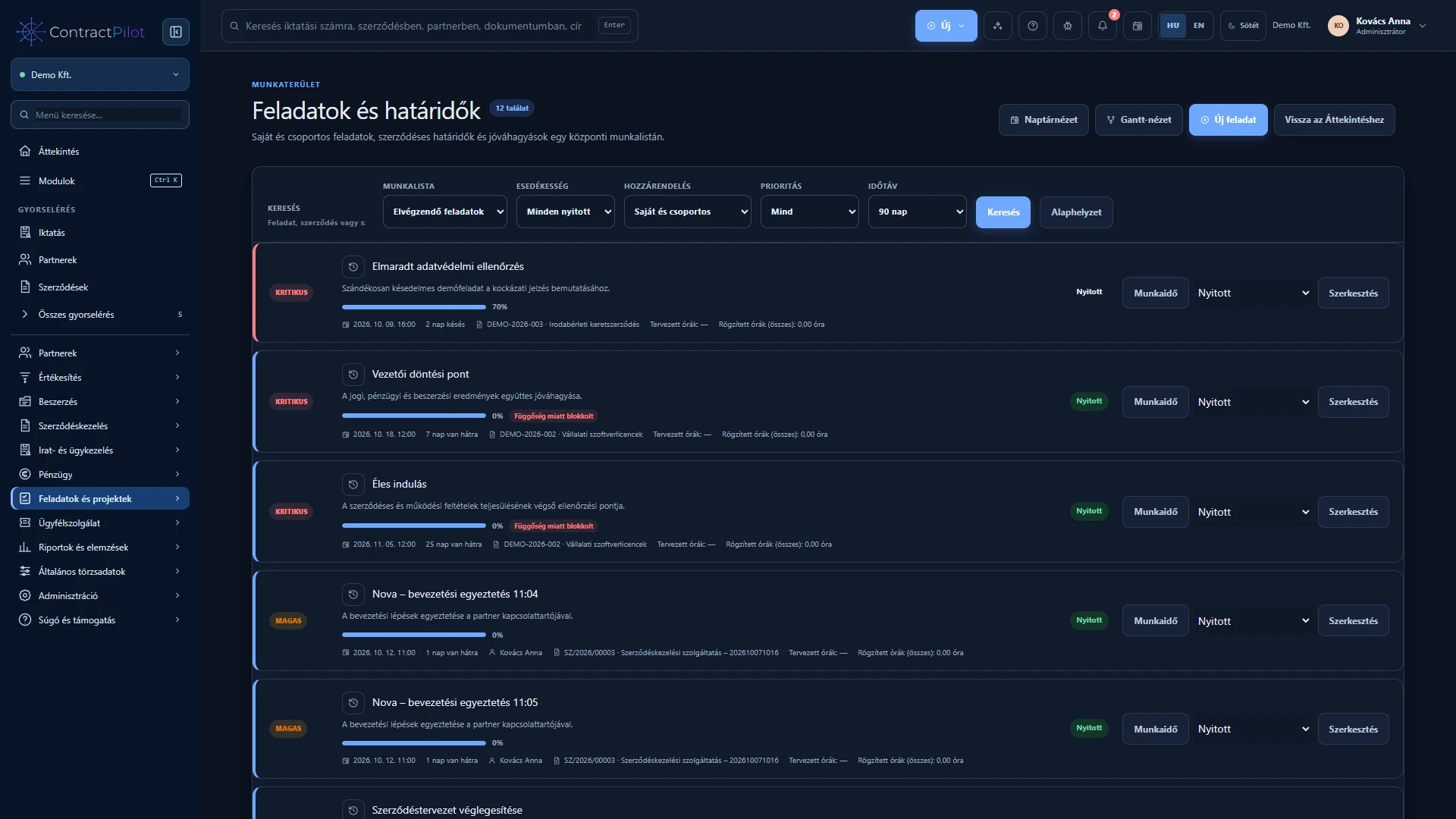
The worklist connects manual tasks with contractual, document and performance deadlines.
What can you do in this module?
- 01
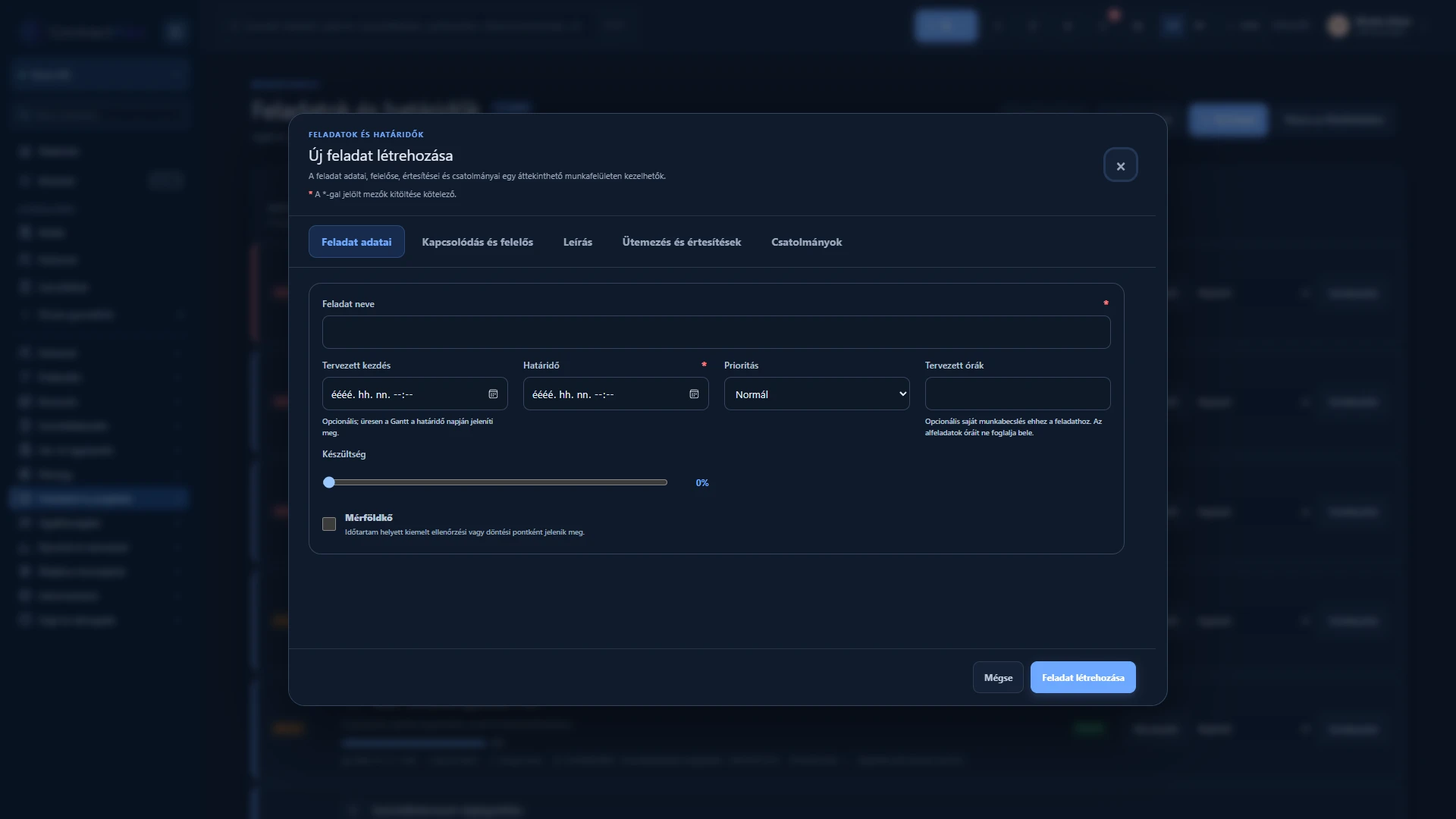
General or contract-related tasks with individual or group owners, priority, descriptions and attachments.
- 02
Daily, weekly, monthly or annual repetition; completion creates the next instance and its reminders.
- 03
Automatic expiry and notice reminders follow the contract’s dates and status.
- 04
List, monthly, weekly and daily calendar views, date shortcuts and direct task links.
- 05
In-app, email and per-device browser push notifications, plus a personal notification centre.
- 06
Personal time zones and a revocable read-only iCal subscription for Outlook, Google Calendar and Apple Calendar.
Task or reminder?
A task has an owner, priority and deadline; a reminder draws attention to it. Create tasks manually or let configured business processes create them. Assign a person or group and add attachments through the protected upload process.
Daily work from the calendar
Use day, week and month views. Open the related business record directly from a sales follow-up or contract deadline. A personal expiring calendar link lets you subscribe from another calendar; it is not two-way editing.
Do not close a protected process task as an ordinary manual task. Completing the relevant workflow step preserves the decision and review history.
Where do notifications appear?
In-app notifications lead back to tasks, contract events, proposal decisions and service cases. Browser notifications and email for selected events require separate settings. Alongside enabling channels, check that the task has the correct owner.
Project tasks and the detailed task dialog
Standalone and project tasks share the worklist. The task dialog separates basic details, connections and ownership, description, scheduling and notifications, and attachments into tabs. Discarding actual changes requires confirmation; closing an unchanged form does not.
Availability and operating conditions
The iCal subscription is read-only, not two-way calendar editing. Push notifications require browser permission.
Available functions depend on your organisation’s setup and your permissions.