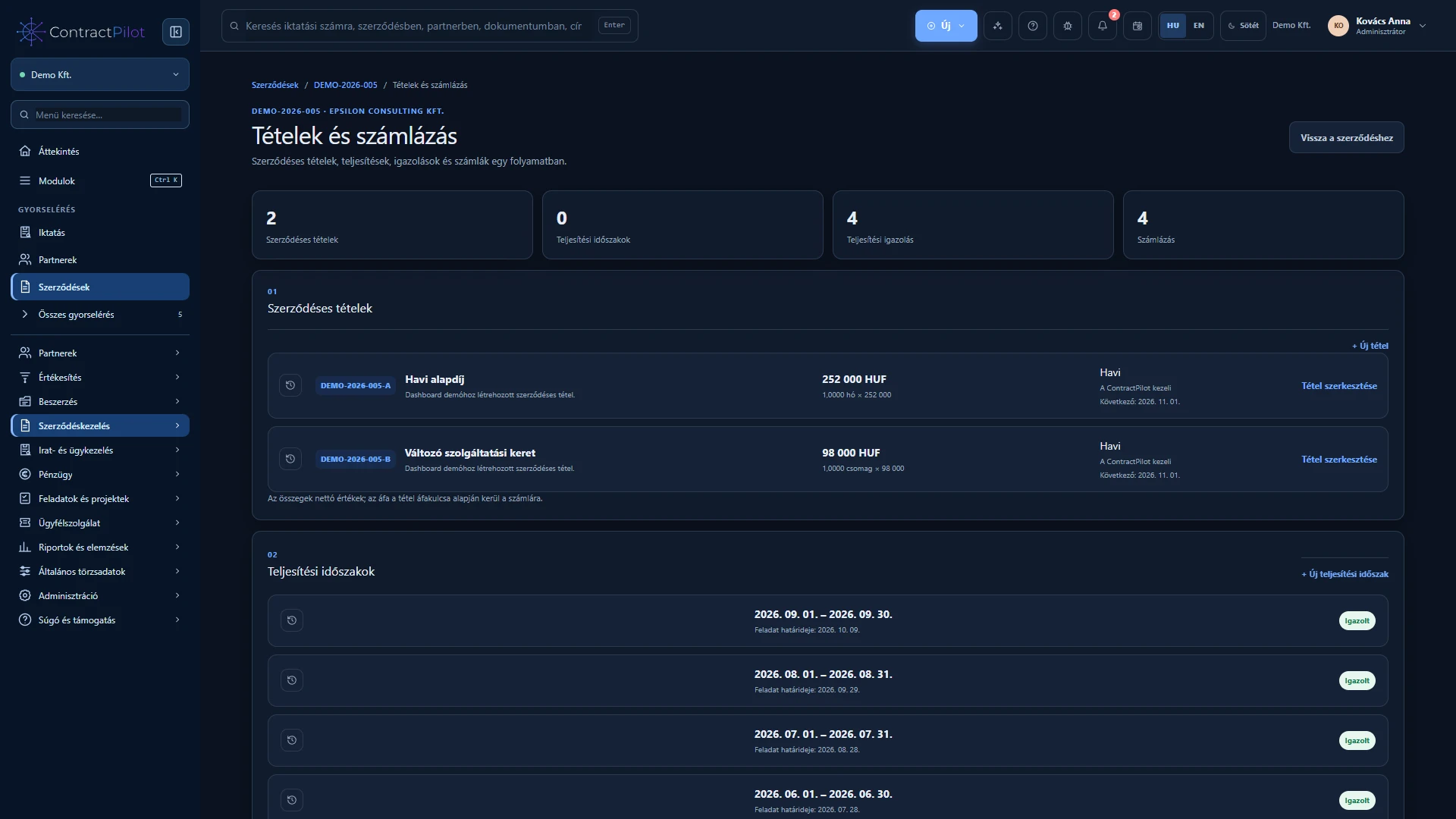
Continue from approved performance to invoicing, and track the invoice and payment status alongside the contract.
What can you do in this module?
- 01
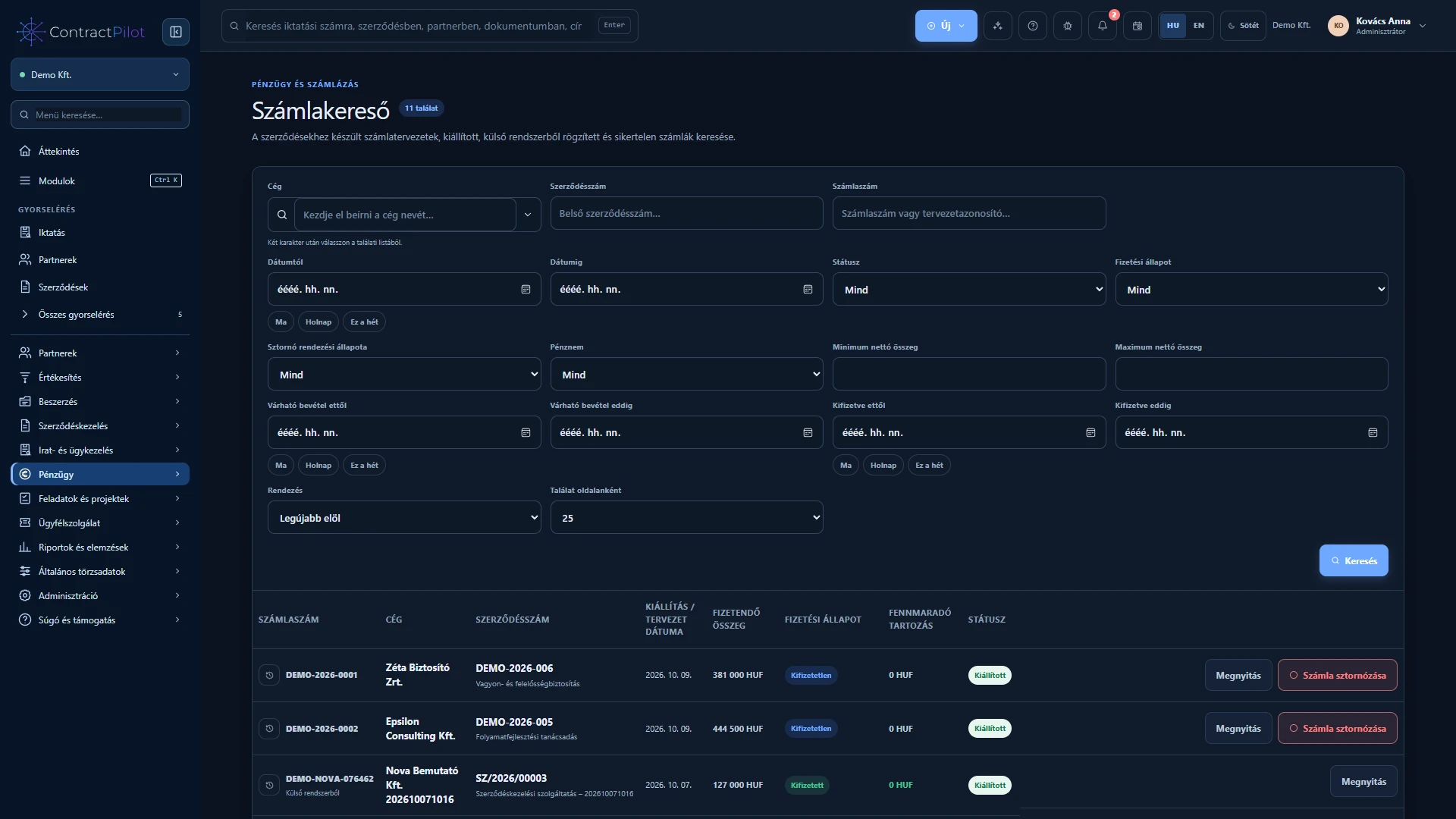
Create an invoice draft from approved performance on an outgoing contract, followed by manually approved issuance through Számlázz.hu.
- 02
In-app invoice PDF viewing, downloads, invoice search and issuance history.
- 03
Record and correct partial or full payments; track paid, partly paid, overdue and outstanding invoices.
- 04
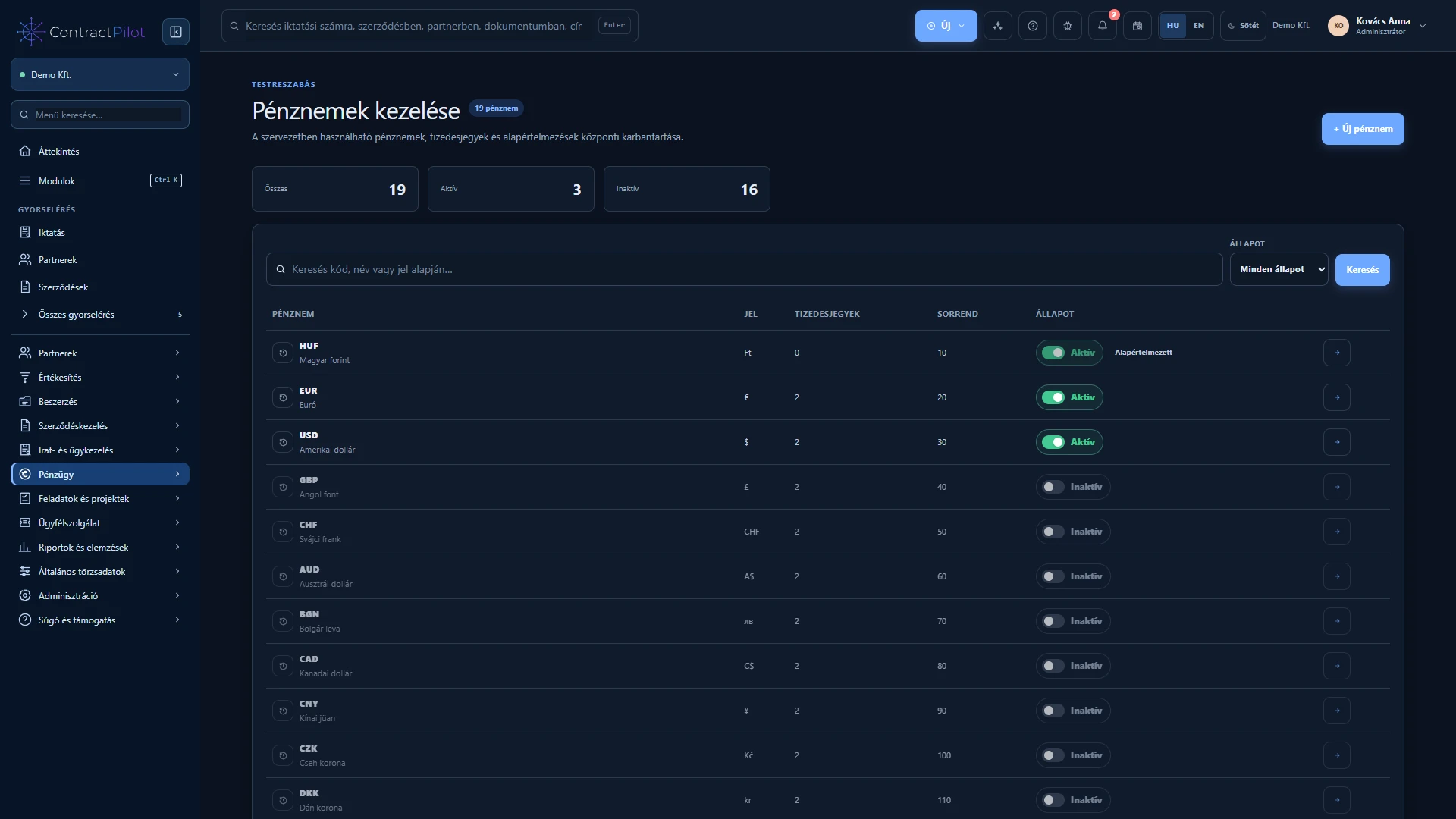
Organisation currency settings, a default reporting currency and dated manual exchange rates.
- 05
Automatic exchange rate updates from a selected MNB or ECB source.
- 06
Original-currency or consolidated reporting. Missing exchange rates are flagged and affected amounts are excluded rather than estimated.
Check the draft before issuing
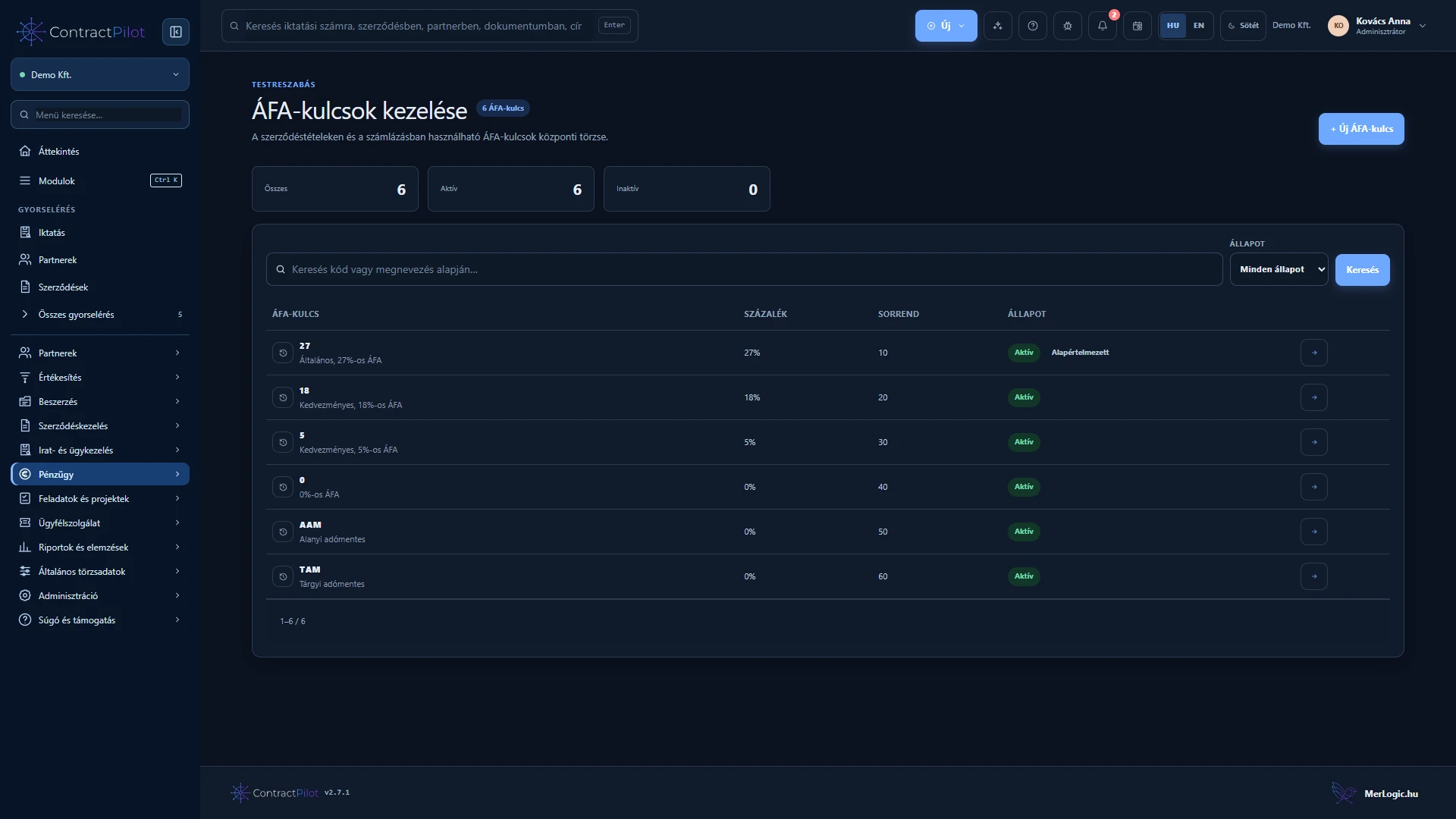
Review customer details, lines, tax, currency, issue date, performance date, payment deadline and method. Creating a draft does not issue an invoice. Configure and test the Számlázz.hu connection first.
Successful issuance returns the invoice number and PDF. An uncertain network response is checked to avoid accidental duplicate issuance. You can also record the details and reference of an invoice created in another system.
Partial payments and adjustments
Record only the amount actually received, with its date and bank reference. The outstanding balance and overdue status remain visible after a partial payment. Recording payment does not imply automatic bank synchronisation.
Cancellation preserves the original invoice and creates a separate cancellation document. Track any refund, credit or transfer of previously received money separately. Overpayments also need a recorded settlement decision.
Interpreting multiple currencies
Reports can show original currencies separately or convert to a selected reporting currency. Use dated manual rates or a configured MNB or ECB source. Missing rates are not guessed, and different currencies are not added without conversion.
Prepare invoices for accounting
Split incoming and outgoing invoice lines across ledger accounts. The allocation worklist helps complete missing details, while accounting export produces accounting export files or general CSV files. The Account allocation and accounting export guide explains the workflow in detail.
Outgoing invoices may appear at NAV with a delay and need a configured connection and processing. Perform a trial import in the receiving accounting package. ContractPilot does not replace a full accounting system.
Availability and operating conditions
Issuing invoices requires the organisation’s configured Számlázz.hu account. Reporting conversions do not change the original document amounts or currencies.
Available functions depend on your organisation’s setup and your permissions.