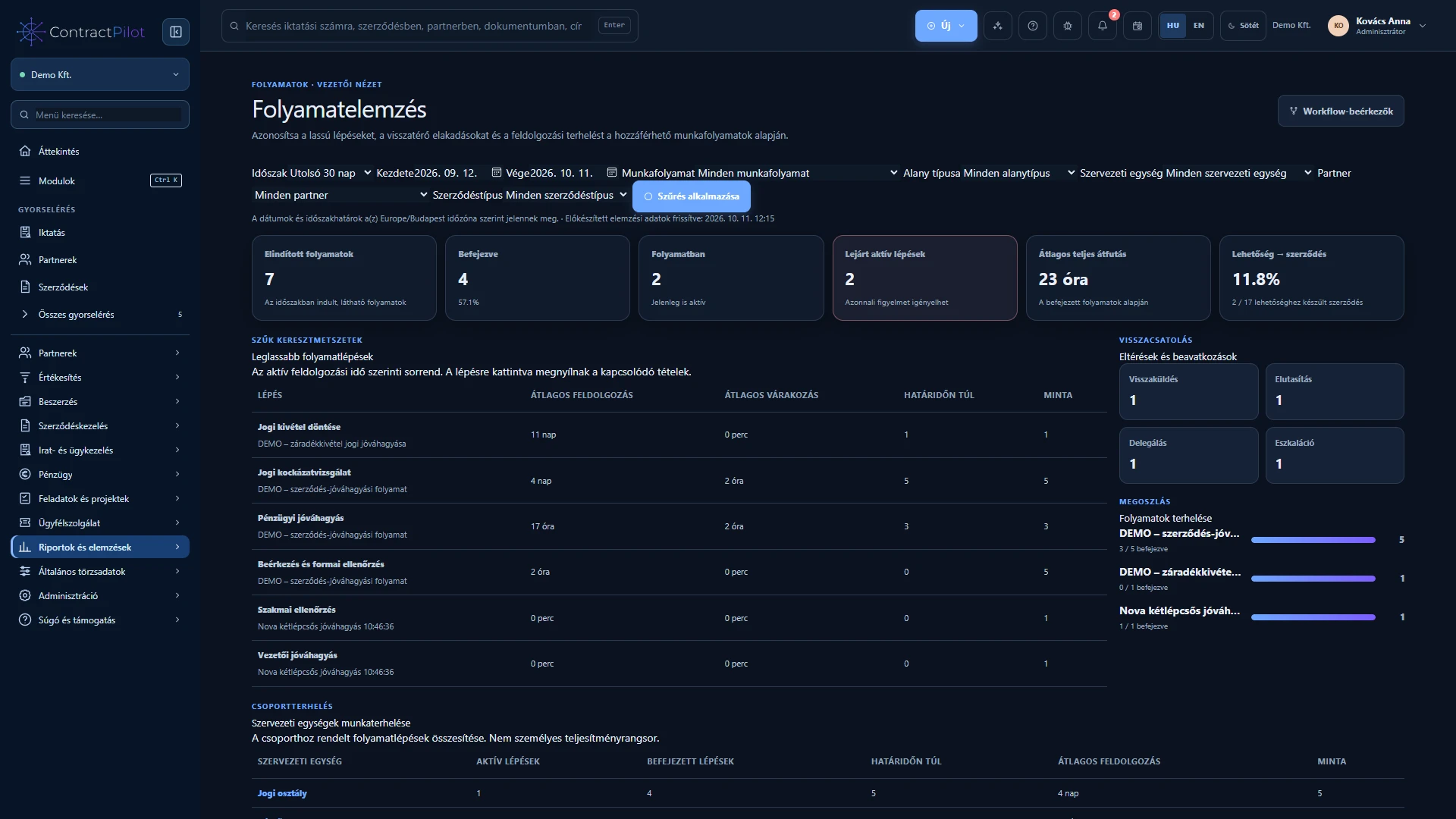
See where work is waiting, how long processes take and which active cases need attention.
What can you do in this module?
- 01
From a total to the underlying case
- 02
Filter for the question you need to answer
- 03
What does a delay estimate mean?
- 04
Freshness and permissions
From a total to the underlying case
Review started, active and completed processes, cases with overdue steps, completion rate and total duration. Processing and waiting times can be examined separately. Click a metric to open the underlying searchable, paginated process list.
Filter for the question you need to answer
Choose a period, workflow, type of business record, organisational group, partner or contract type. Review approver workload, deadline performance and the rate and timing of opportunities becoming contracts. Values in different currencies are not added without a valid conversion.
What does a delay estimate mean?
The system uses similar completed steps to estimate when an active step may finish. It displays the sample size, the middle typical duration and a value representing slower cases, together with the confidence of the estimate.
A step may be on schedule, worth watching, likely to be late or already overdue. Limited data is identified as uncertain. The estimate is neither a decision nor an employee ranking; managers can open the underlying cases to examine the reasons.
Freshness and permissions
The refresh time of prepared totals is visible. If those data are incomplete or outdated, the system calculates from authoritative source records. Neither reports nor forecasts use cases you cannot access. Different filters and permissions can therefore produce different totals.
Availability and operating conditions
The estimate is based on historical process data, not a guaranteed completion date. Check the period, filters and sample size before interpreting it.
Available functions depend on your organisation’s setup and your permissions.