The outcomeThe work on a contract-linked case can be followed from the initial request through to the recorded effort.
Email intake and notifications require configuration. Only approved work logs can be transferred for settlement; closing a ticket does not automatically issue an invoice.
From an incoming document to a closed caseRegistration · case files · approvals · deadlines
The outcomeBoth the document history and the associated work remain visible.
These steps are usage examples. Workflows, permissions and notifications need to be configured for the organisation.
FROM ENQUIRY TO PAYMENT
Follow a complete business process.
A practical example connects sales, proposals, contract review, approvals, service, delivery and finance. Each stage shows who acts, what they check and what becomes available for the next step.
Names, amounts and service settings in this walkthrough are illustrative. Actual permissions, contracts and configured connections determine what you can do.
01
Sales representative
Partner and contact
Find the partner or create the company and contact. Check billing details and the email address. Review a trial import before accepting it to avoid unnecessary duplicates.
Result: a partner record that subsequent opportunities and contracts can reference.
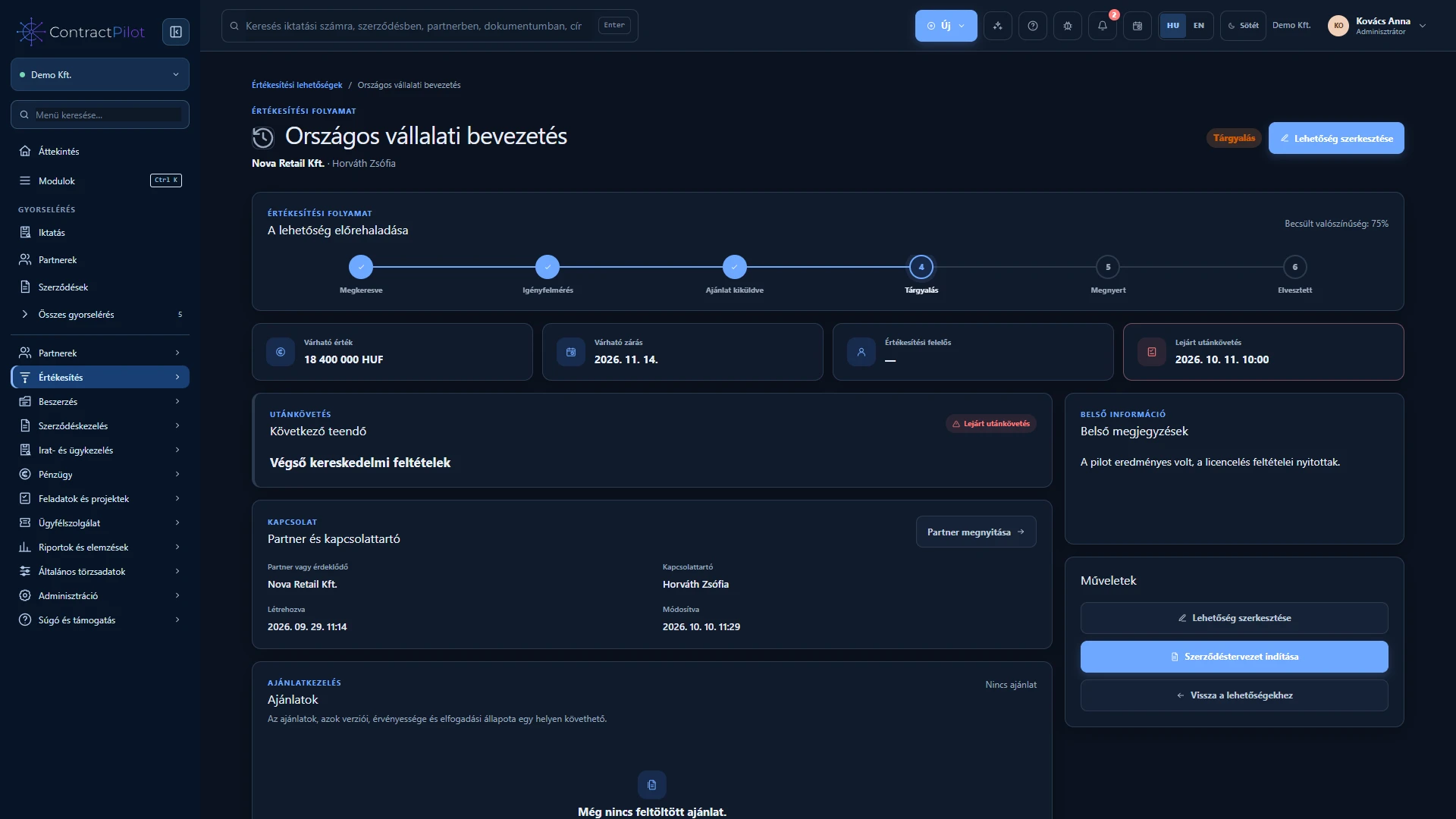
Record the need, estimated value and currency, expected decision date, owner and next action. In this example, implementation, monthly licences and support have an expected net value of HUF 6,800,000. This is neither an issued invoice nor received revenue.
Result: a trackable sales stage and a dated next action.
Upload the PDF or DOCX proposal and enter its title, amount, currency, expiry and version note. Check the recipient and link validity before sending. Use your personal outgoing mailbox or share the protected link manually. Email verification codes can be enabled separately.
Result: an expiring, revocable link tied to a specific proposal version.
The customer reviews the shared version and can accept with their name and explicit confirmation, or reject with a reason. With multiple recipients, the first final decision closes the round. Acceptance marks the opportunity as won; rejection requires a follow-up decision. New content needs a new version and decision round.
Check: proposal acceptance is a business decision, not electronic signing of the contract.
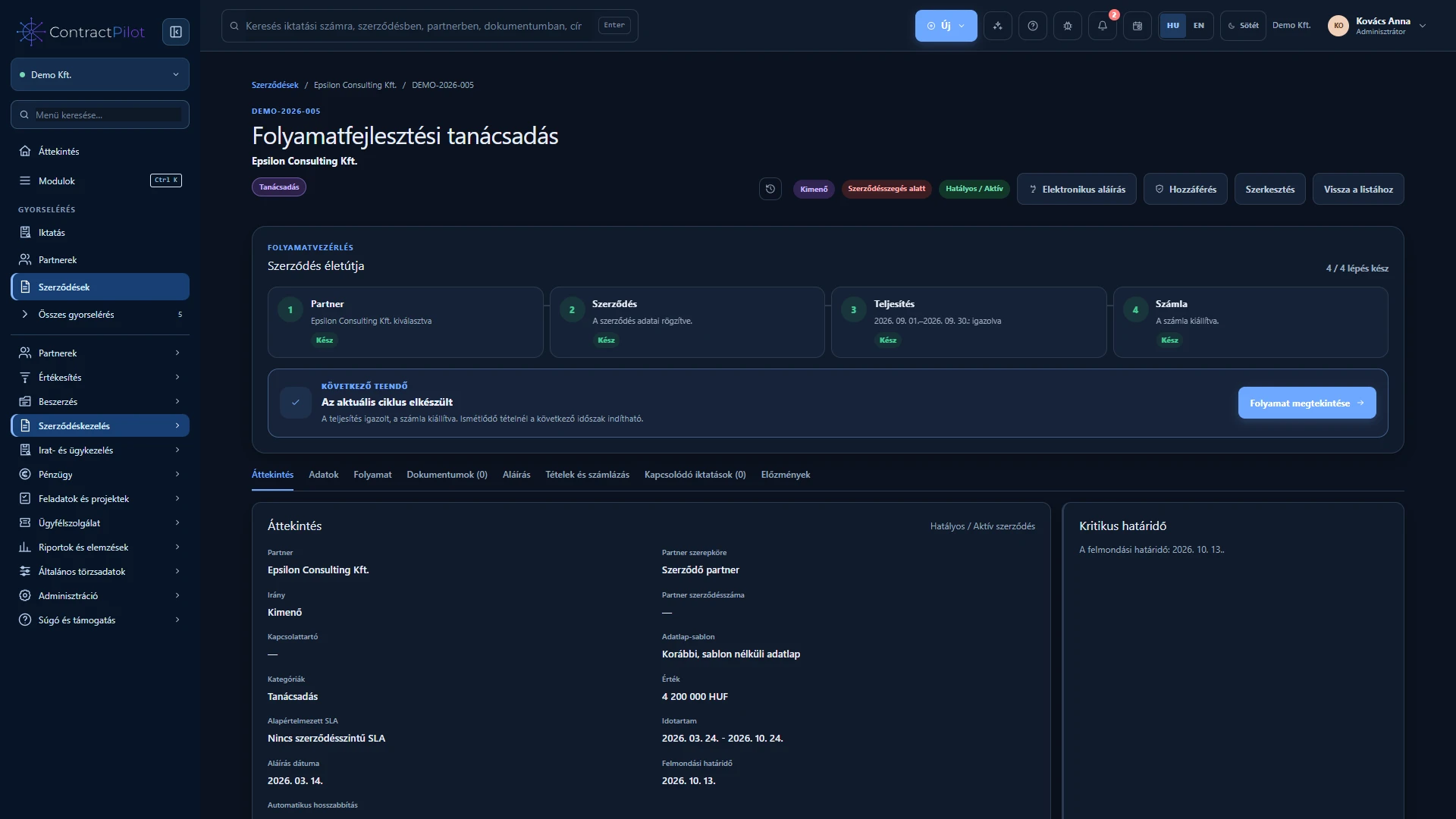
Create the contract draft from the won opportunity. Known partner and commercial details are prepared for transfer; check the final title, period, owners and value. The relationship remains bidirectional, so the sales history can be found from the contract.
Result: a draft contract with its history preserved. A lost opportunity cannot use this conversion.
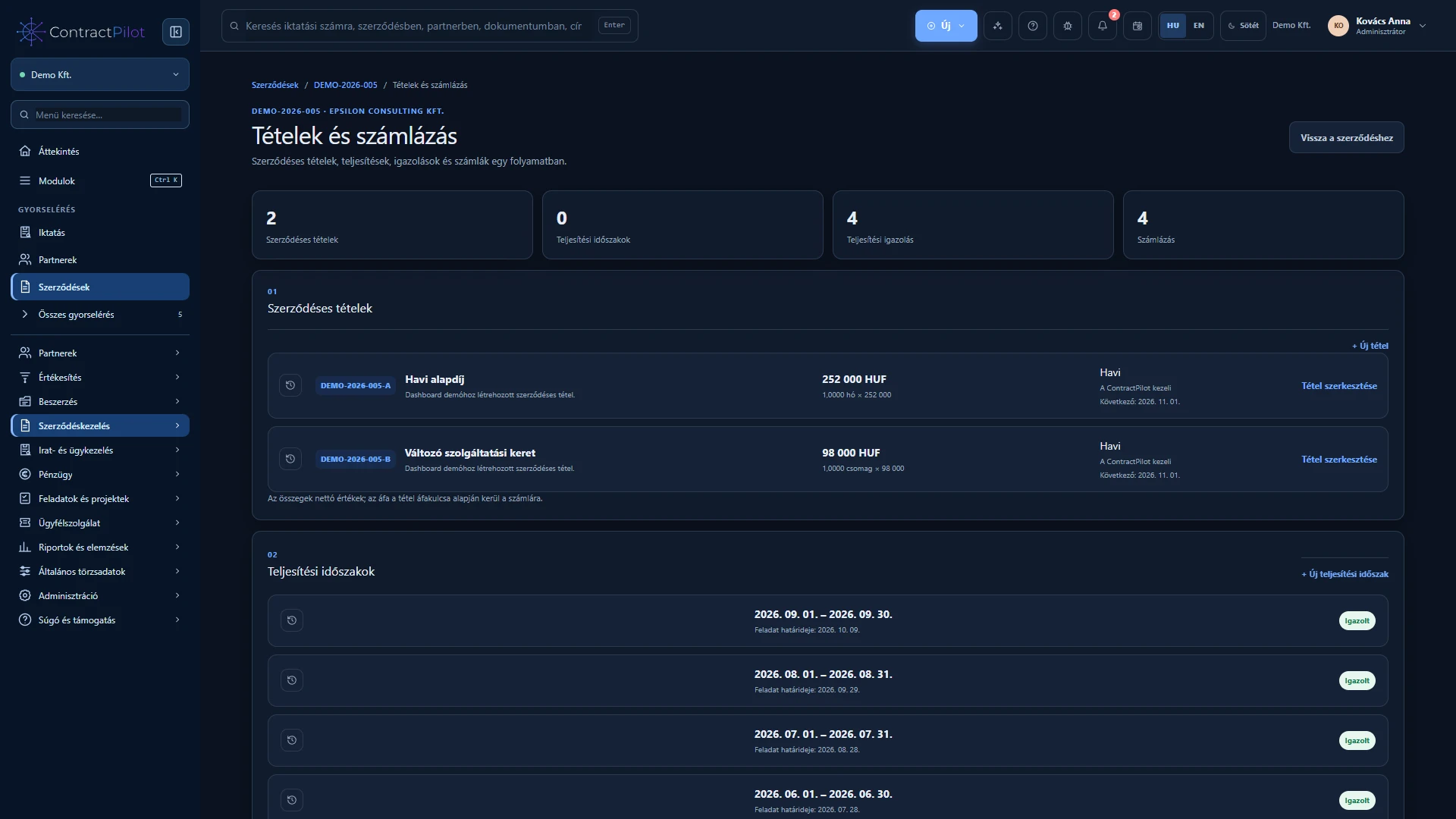
The example has three lines: one-off implementation at net HUF 2,600,000, monthly licences at HUF 300,000 and monthly support at HUF 50,000. Enter quantity, unit, tax, period and performance-certification requirements. The contract’s headline value does not replace the lines used for invoicing.
Check: do not bill a period that has already been invoiced.
Set working days, office hours, response and resolution targets, warnings and escalation for the support line. The commitment is attached when a case starts. Review allowances and extra work against the contract; recording time does not itself issue an invoice.
Result: a service case connects to the right contract, line and commitment.
The customer can respond to the shared document version or submit a new version. Internal notes and approvals remain outside the external view. Review required, prohibited and recommended clauses. Explain exceptions and obtain the appropriate approval; unresolved blocking exceptions prevent signing.
Check: automated flags support human review and do not replace legal judgement.
Start the published workflow version. Legal, financial and management checks can be assigned to sequential steps with owners and deadlines. Complete the task through its workflow action; marking an ordinary task done does not replace approval. Corrections or a new document version may require another review under the configured rules.
Result: a traceable internal decision on the reviewed content.
Send the final PDF through the configured DocuSign connection in the chosen signer order. Track status and, on completion, check the signed PDF and returned Certificate of Completion. Further work on the active contract remains linked to this history.
Requirement: your own DocuSign account and a configured connection. The described workflow is not qualified electronic signing.
Open the correct period, record actual quantity and explain any difference. In this example, implementation performance is net HUF 2,600,000. The approver can accept it or return it for correction. The certificate preserves the details in effect when it was created.
Result: approved performance from which an invoice draft can be prepared and checked.
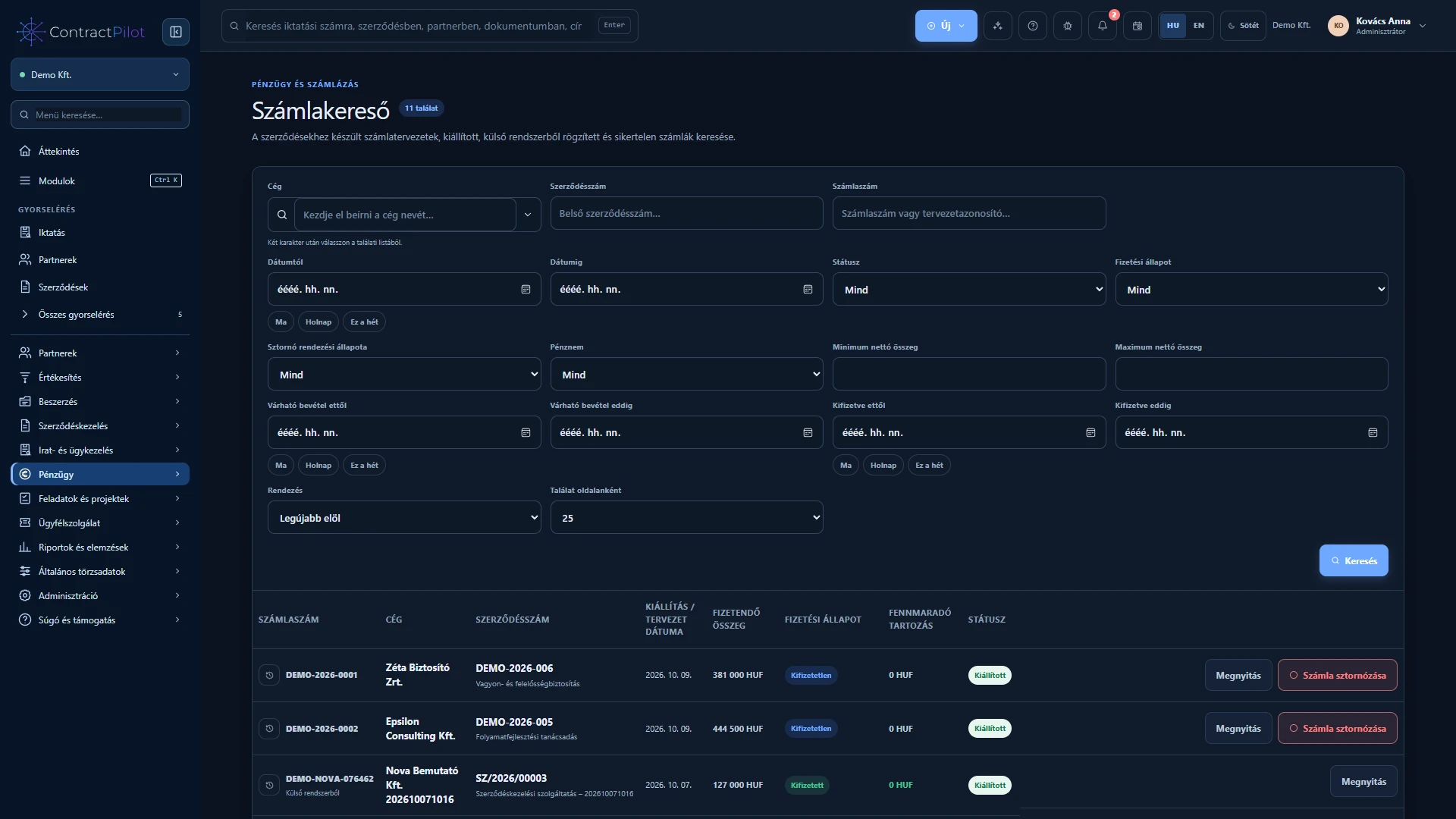
Check the draft, then issue it through the configured invoicing connection. The sample net HUF 2,600,000 becomes gross HUF 3,302,000 at 27% VAT. Issuance and receipt of money are separate events: record the actual payment with its date and bank reference. Partial payment leaves a trackable outstanding balance.
Check: sample amounts and tax rates illustrate the workflow; they are not a price offer or tax guidance.
Review open actions, outstanding amounts and service status from the overview. Filter process analytics by period, workflow and group, then open the underlying records. Interpret delay estimates together with sample size and uncertainty; sparse history cannot support a reliable conclusion.
Result: an understandable, verifiable view of the business lifecycle within your access scope.
Availability depends on enabled functions, permissions and configured external connections. During a demonstration, we clarify which capabilities can be used in your environment.
INSIDE THE APPLICATION
See the interface in use.
Application screenshots with sample data. Click an image to explore the interface and related actions in a larger view. Images show the Hungarian interface; the application also supports English.