
Which document is current?
Follow agreements, document revisions and their history together.
Connect contracts, documents, tasks and financial records — so you can see where each case stands, who owns it and what comes next.
CONTRACTPILOT IN MOTION
One system connecting the details of business work. Watch the ContractPilot introduction, then explore the workflows through the interactive examples below.
Playback starts when you choose. Adjust volume and full screen in the player.
Open video separately ↗CONNECTED BUSINESS WORK
Documents, owners, tasks and financial records stay connected to the contract. ContractPilot helps you see them together.
Explore the connected workflows CP / 0042•••
CONNECT THE CASE
When a business case passes through spreadsheets, emails and folders, the whole picture is hard to see. ContractPilot connects the information that belongs together.
Follow agreements, document revisions and their history together.
Owners, tasks and deadlines stay connected to the business case.
Review the relationships between contract items, confirmations and financial status.
INTERACTIVE PRODUCT TOUR
Choose a step. Real demo screens illustrate the journey from sales to financial tracking.
Record the opportunity, its partner and the next action.
Explore the workflow Screenshots with sample data; not live business records. Hungarian interface.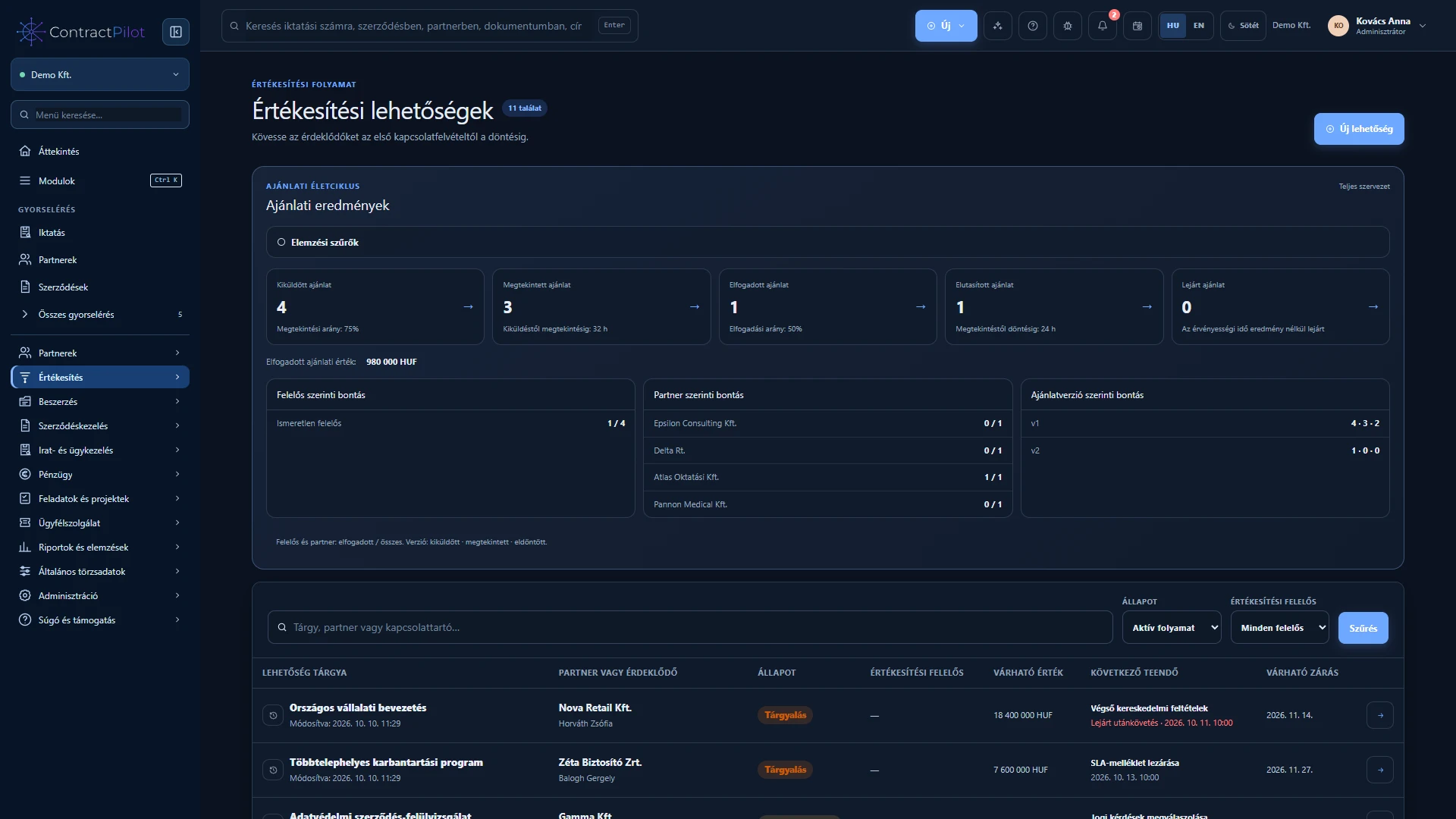
Track proposal revisions and the customer’s decision in the sales case.
Explore the workflow Screenshots with sample data; not live business records. Hungarian interface.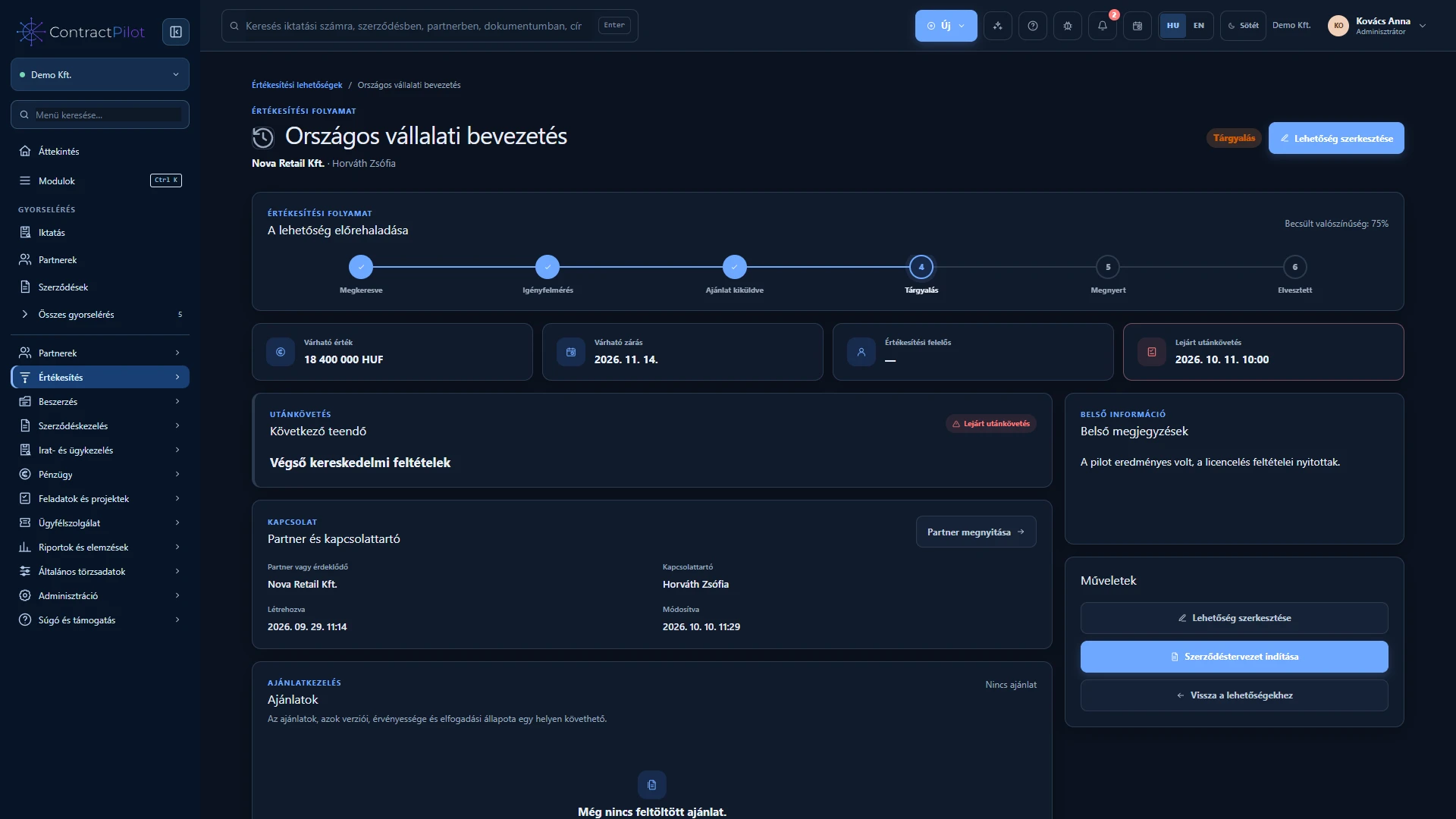
Organise details, documents and actions around the contract.
Explore the workflow Screenshots with sample data; not live business records. Hungarian interface.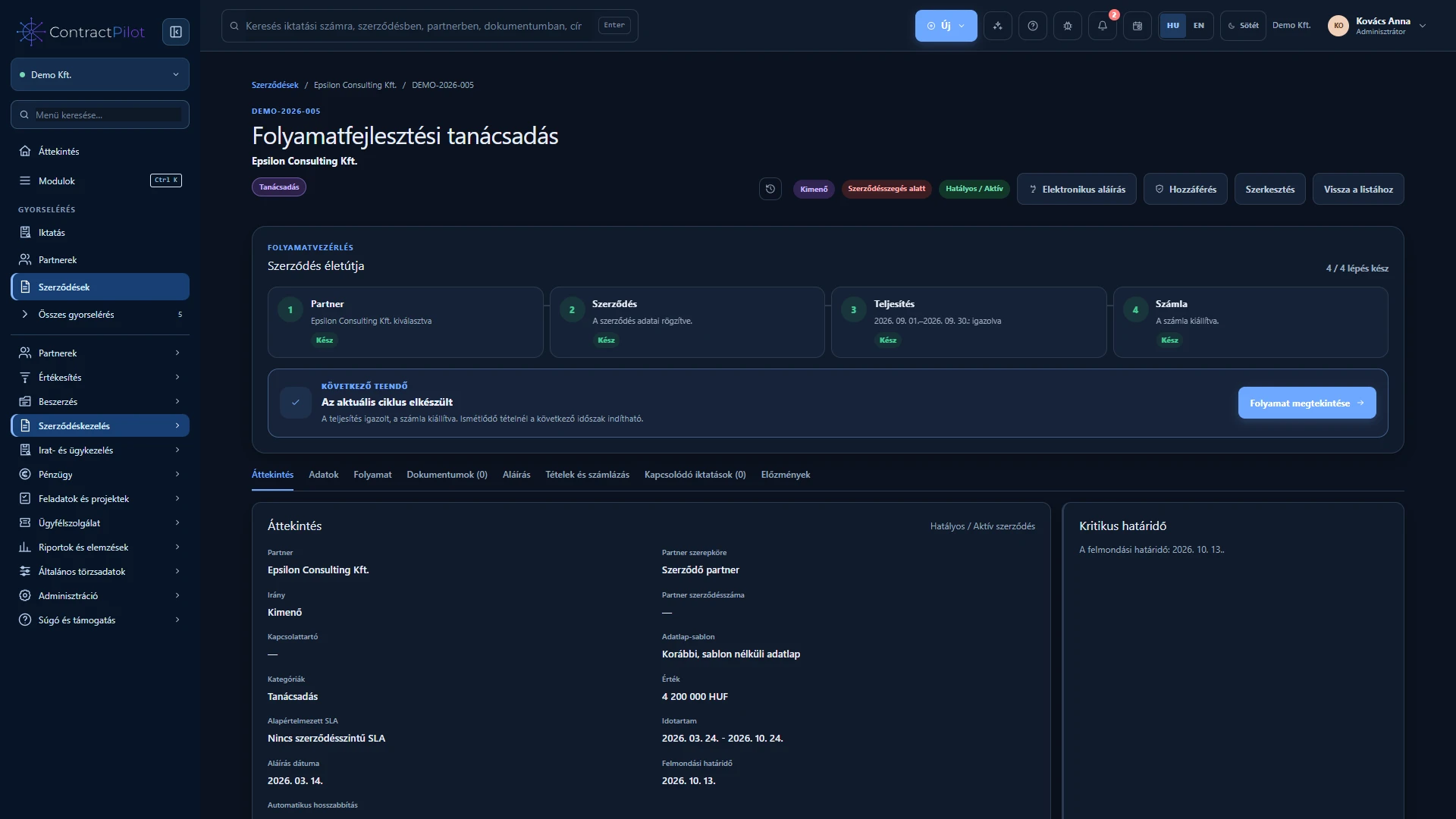
Follow actions related to business work in the daily task list.
Explore the workflow Screenshots with sample data; not live business records. Hungarian interface.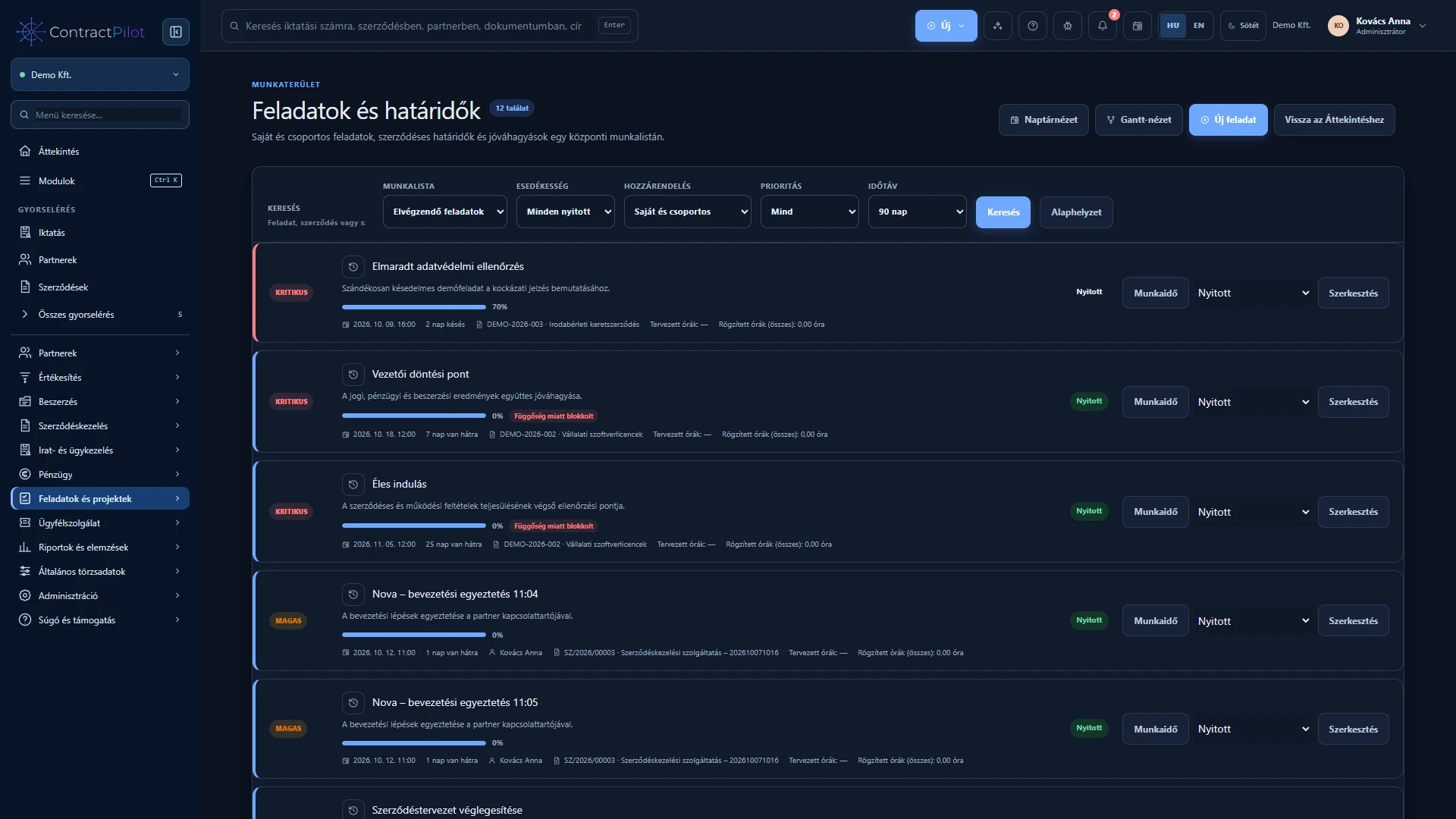
Connect contract lines with performance periods and settlement details.
Explore the workflow Screenshots with sample data; not live business records. Hungarian interface.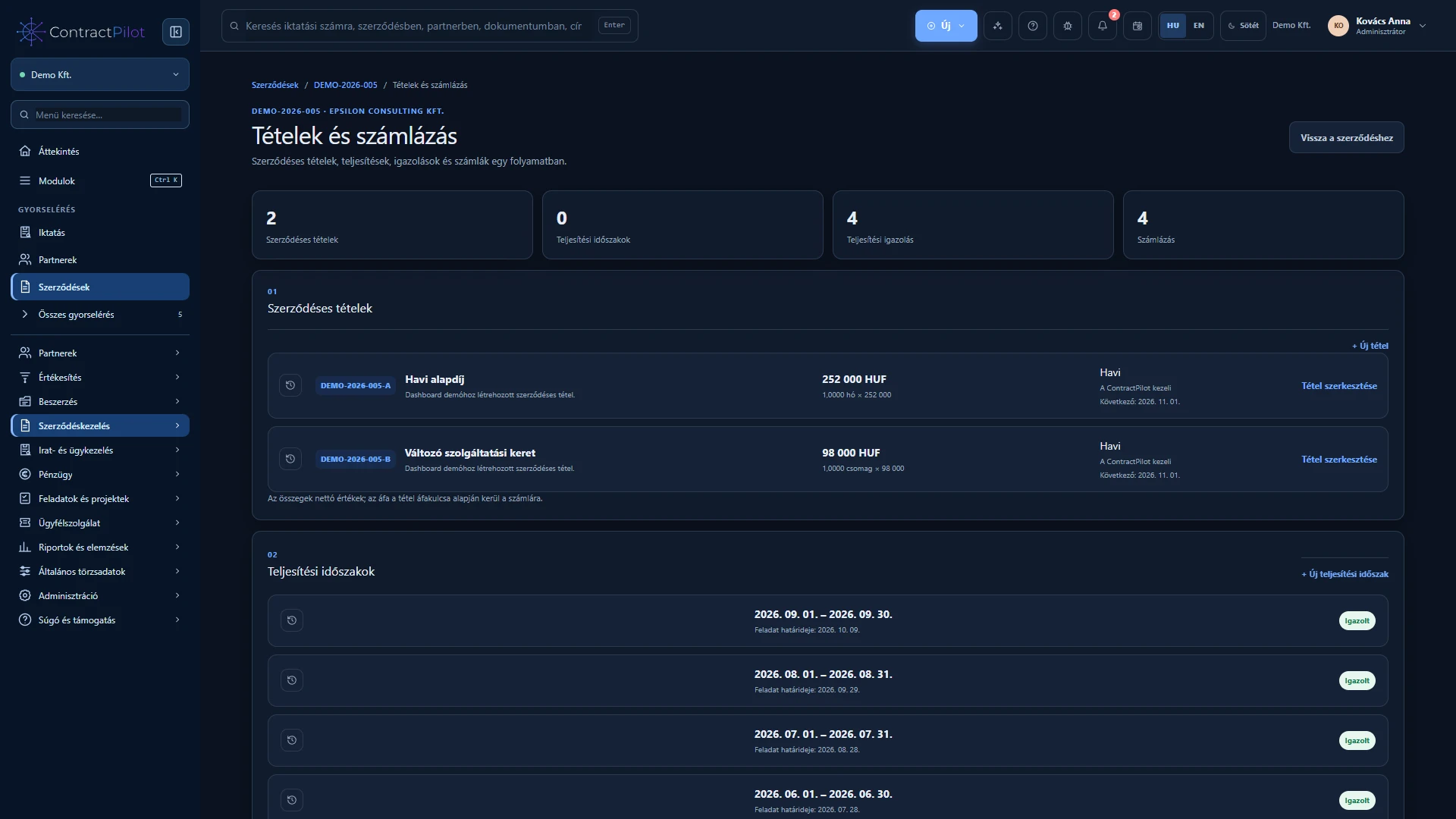
Review related invoices and their payment status.
Explore the workflow Screenshots with sample data; not live business records. Hungarian interface.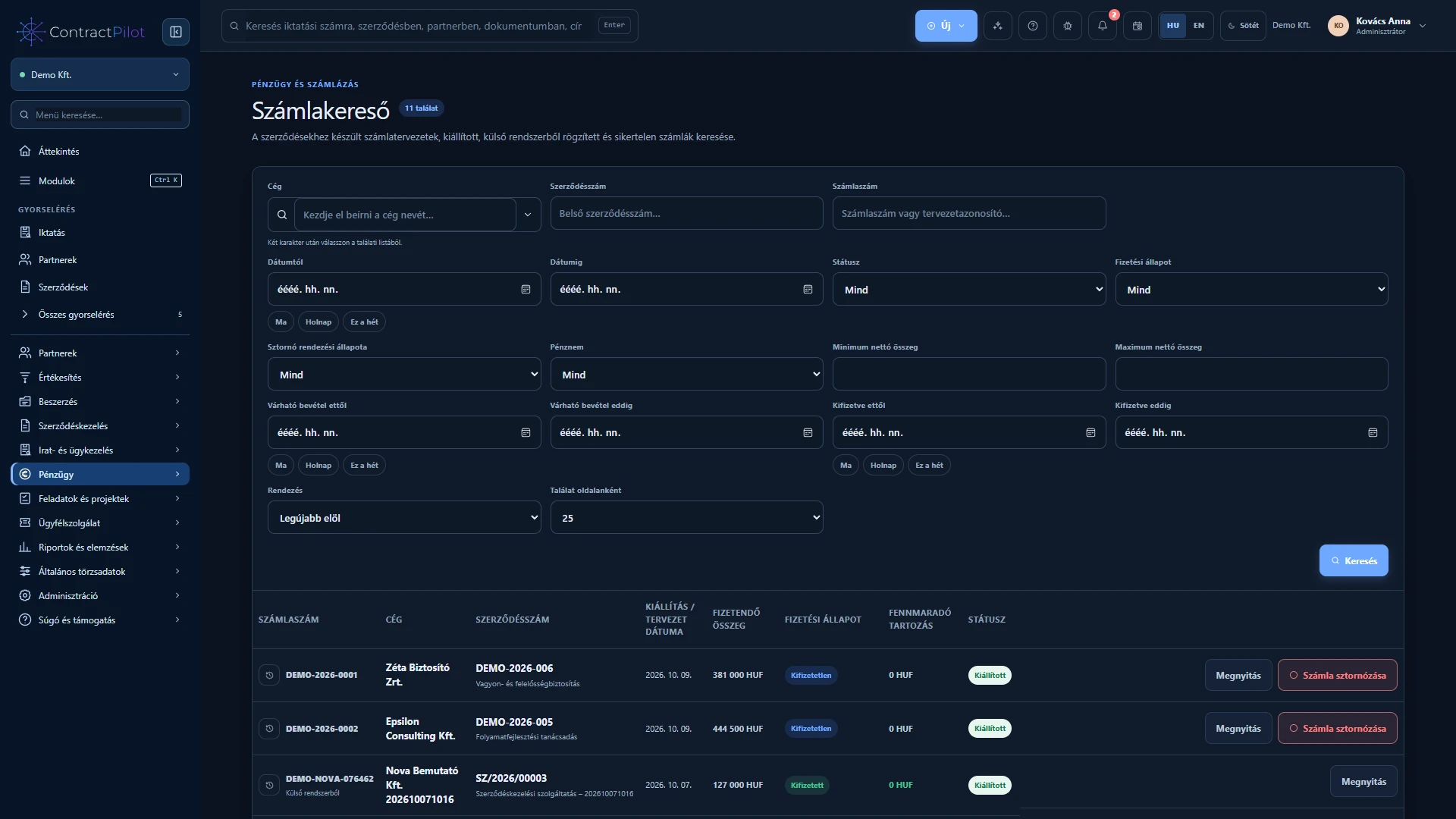
CONNECTED WORK AREAS
Key work areas in one connected system.
Contracts, documents, amendments and reviews in a traceable context.
Explore the workflow →Incoming and outgoing records, registration references and related case files.
Explore the workflow →Project tasks, milestones, multiple views and actual time records.
Explore the workflow →Connect requests to partners, contracts and agreed service terms.
Explore the workflow →Requirements, quotations and orders with traceable line-level comparison.
Explore the workflow →A shared overview of related invoices, payment status and settlement details.
Explore the workflow →Line-level allocation, ledger assignments and an accounting export file for further processing.
Explore the workflow →Custom reports, filters, protected sharing and Excel exports.
Explore the workflow →The AI assistant helps you find information within your permissions.
Explore the workflow →INTEGRATIONS
External connections belong to the relevant business workflow. Each has its own purpose and setup requirements.
 Microsoft 365
Connect your own mailbox for incoming and outgoing customer service email.
Connection details → Gmail
GmailCustomer service email through your own mailbox, with periodic incoming checks.
Connection details →
Connect invoicing according to your organisation’s billing configuration.
Connection details →
Send documents for signing, track status and retrieve the completed PDF.
Connection details →Use requires the appropriate provider account, permissions and configuration. We discuss the connections during the demo.
A configured NAV connection can support partner data checks and invoice data retrieval.
EXPLORE. UNDERSTAND.
Alongside the illustrations, detailed guides explain workflows, permissions and setup requirements. The demonstration focuses on the processes that matter to you.
Request a demoQUESTIONS AND ANSWERS
Here are answers to the most important ones.
During the demonstration, we discuss your tasks and show the related workflows. We clarify the functions, permissions and external connections you need.
Several areas support imports, including partner records from spreadsheets. Available data, formats and validation are discussed for each work area.
Yes. Documented connections help link email, invoicing and signature workflows. Feasibility of custom data transfers needs a separate discussion.
Access is controlled through roles and contract-level settings. Search, reports and the AI assistant also respect those permissions.
In the provider’s environment, supported own document storage or a complete own-server installation. With own document storage, metadata and extracted text remain in the application database.
We discuss your tasks, demonstrate relevant capabilities and go through usage and onboarding requirements. Demo requests lead to the scheduling section of the Contact page.
THE COMPLETE PRODUCT GUIDE
The complete product guide is still here. Choose a topic or search the Knowledge Centre.
Explore connected sales, procurement, contracts, projects, document management, finance and reporting.
Explore this topic ↗Follow requests from intake to resolution: customer portal, replies, SLA commitments, time tracking and contract-linked settlement.
Explore this topic ↗Follow practical sales, supplier procurement and project examples. See how documents, decisions, delivery and reports connect.
Explore this topic ↗Compare ContractPilot’s documented focus: sales, procurement, projects, documents and finance in a shared working context.
Explore this topic ↗Understand access controls, data separation and document protection, including the conditions that matter to your organisation.
Explore this topic ↗Explore data hosting options, customer-managed storage and the operational requirements of optional capabilities.
Explore this topic ↗Search all ContractPilot website content, browse frequently asked questions and go straight to detailed user-focused explanations.
Explore this topic ↗FROM ENQUIRY TO PAYMENT
A practical example connects sales, proposals, contract review, approvals, service, delivery and finance. Each stage shows who acts, what they check and what becomes available for the next step.
EXPLORE WITH US
Bring your questions. We will demonstrate the connected workflows and discuss onboarding requirements.
Request a demo