Register documents independently or connect them to a partner, contract and case file.
What can you do in this module?
- 01
Record direction, subject, external reference, dates, owner, deadline, priority, confidentiality and tags.
- 02
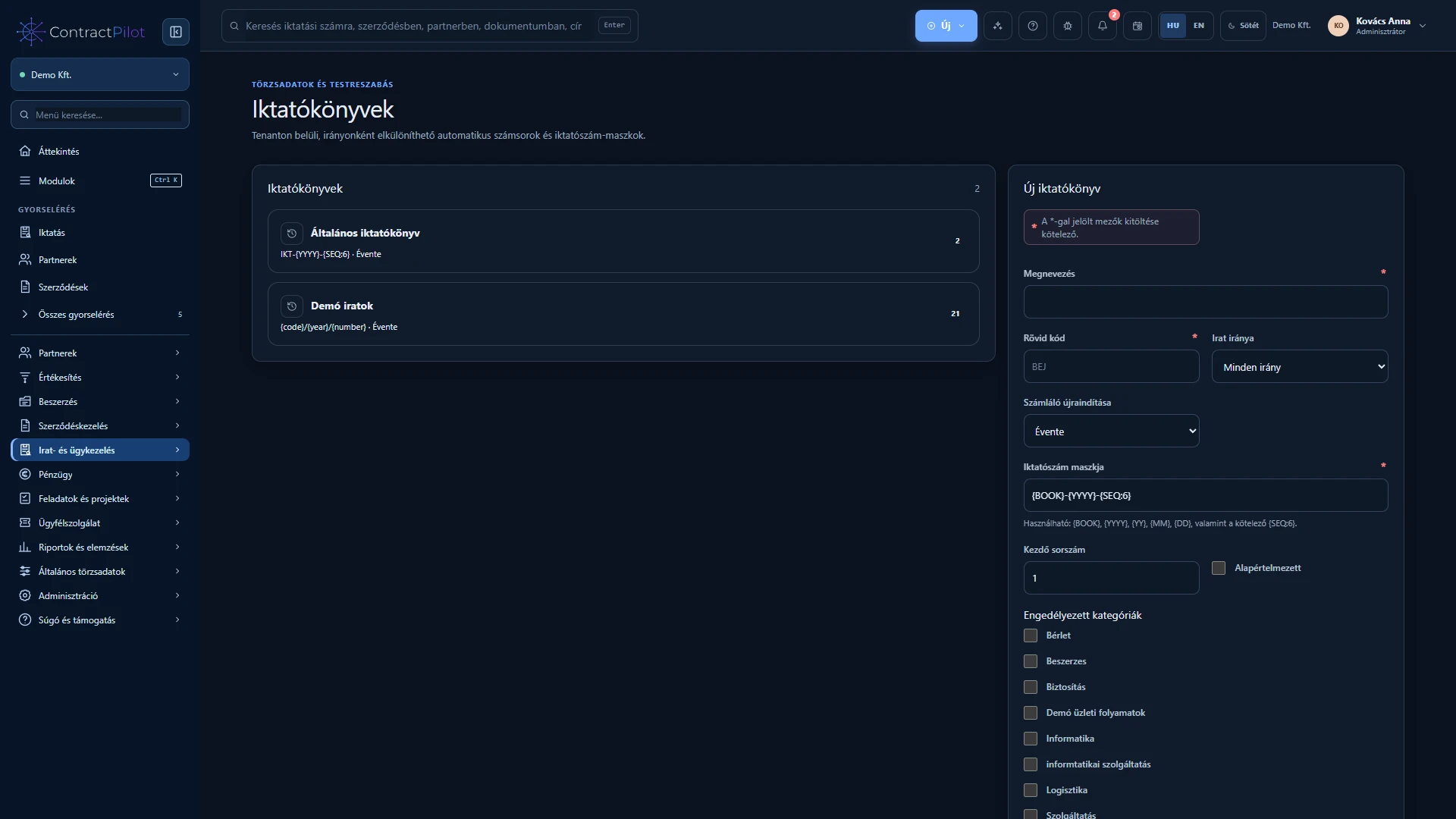
Custom registers with automatic numbering and separate incoming, outgoing and internal sequences.
- 03
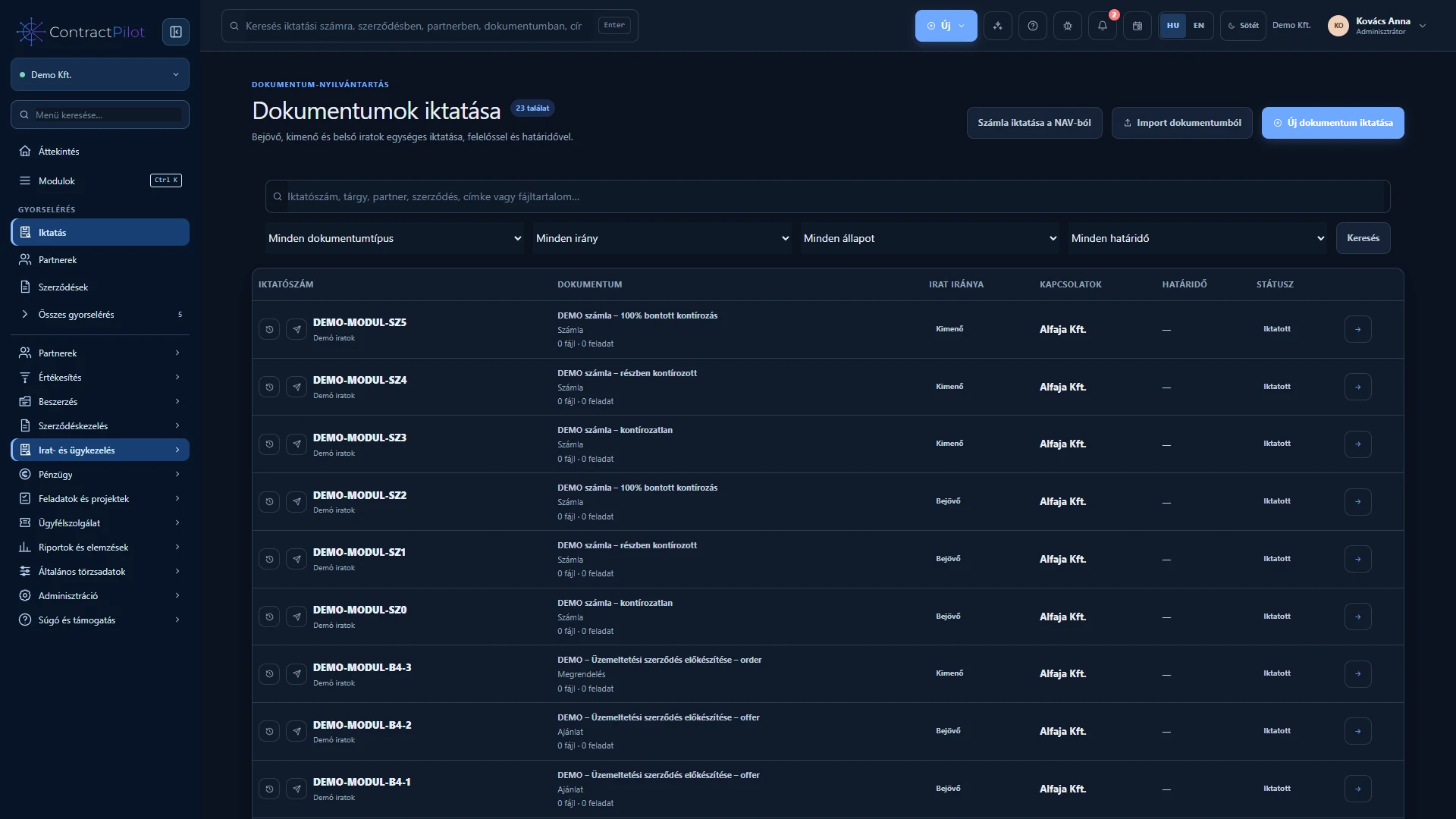
Search record details and processed attachment content; filter by direction, status and deadline.
- 04
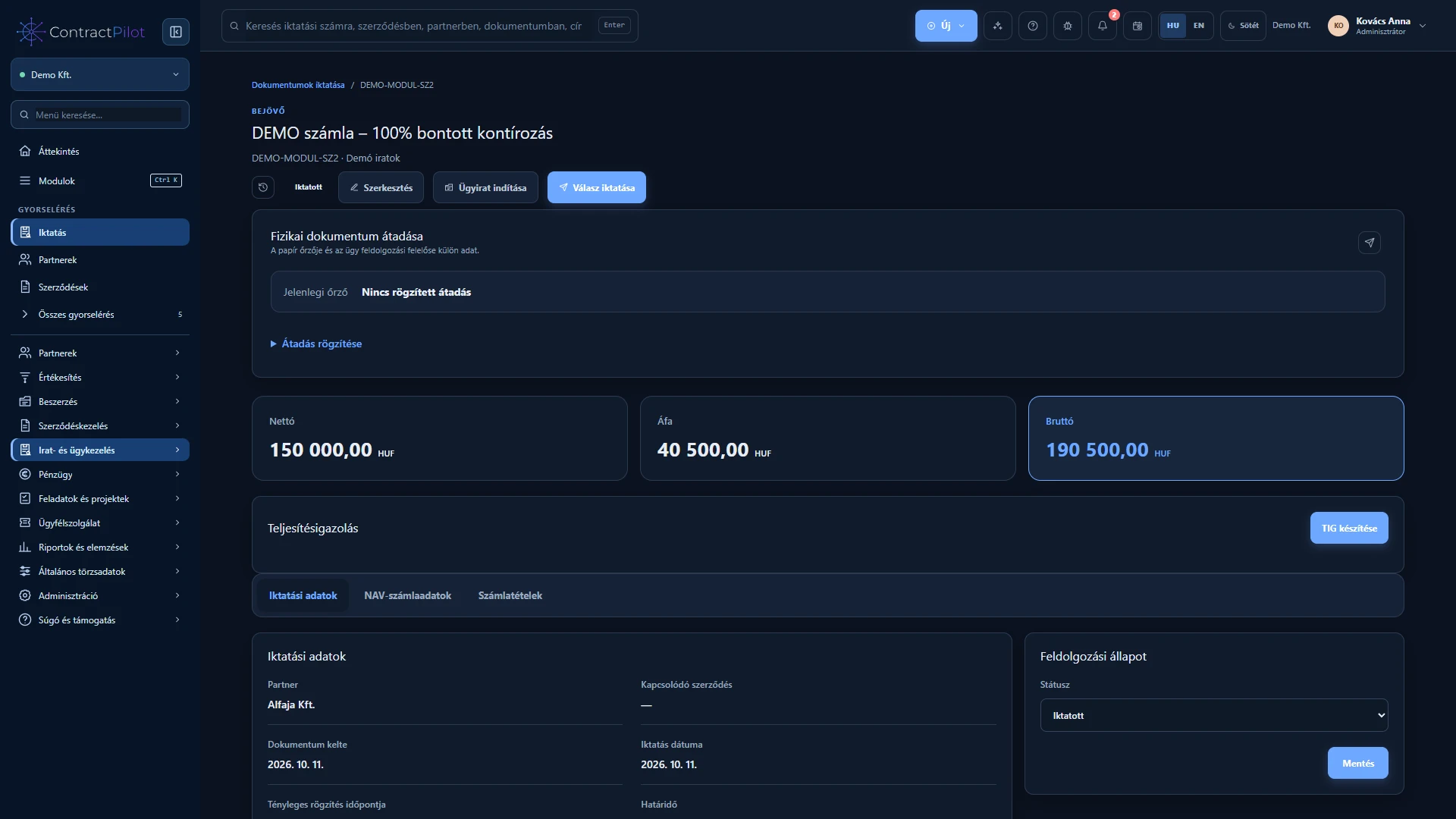
Register a reply with prefilled details and links to the original and subsequent replies.
- 05
Multiple attachments, version history, resumable uploads and permission-controlled downloads.
- 06
Create deadline tasks and reminders, or automatically start a published workflow assigned to the register.
Track incoming and outgoing records
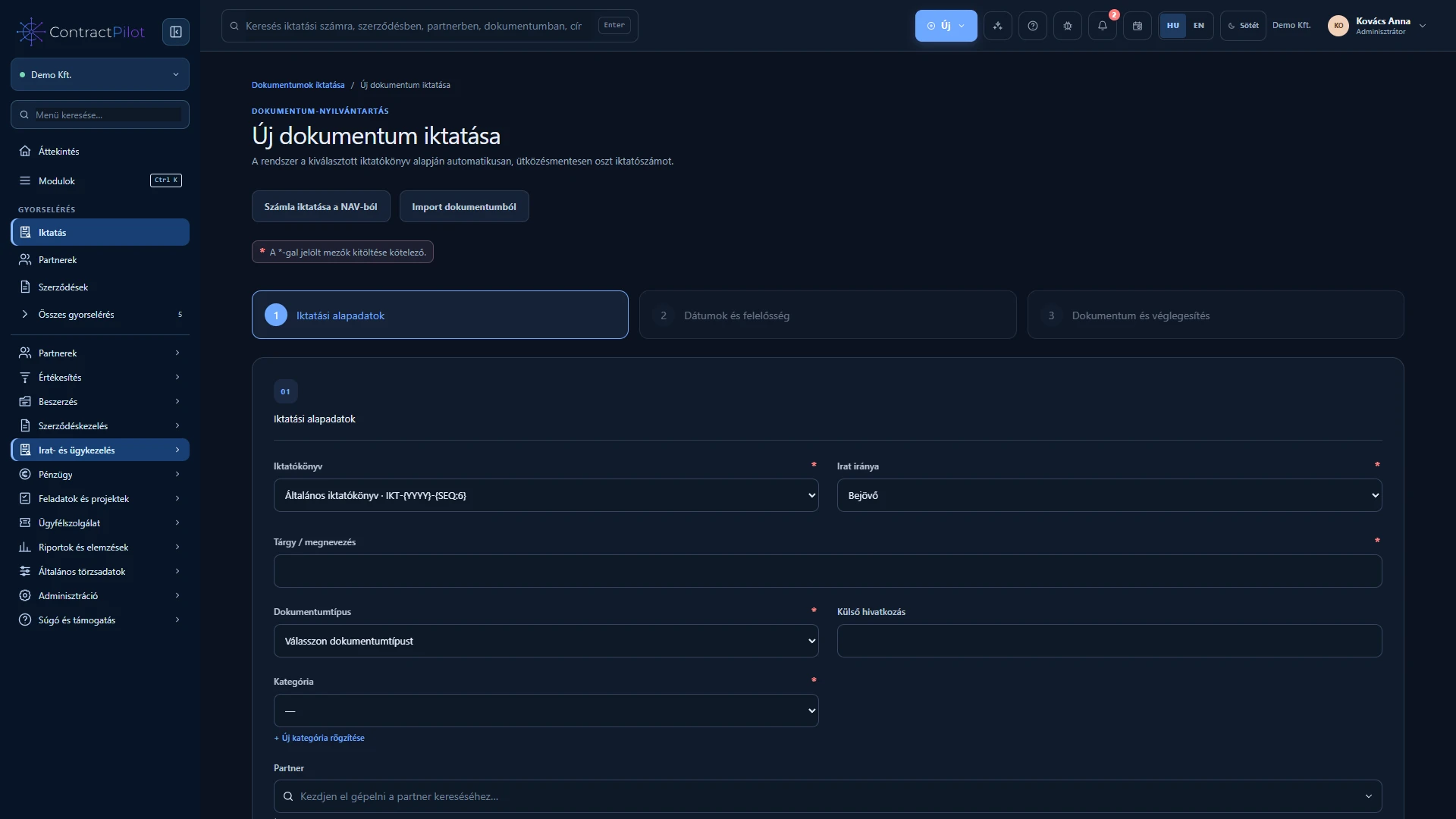
Select the register, direction and category, then enter the subject, partner, dates and owner. Records can exist independently: not every letter needs a contract. References follow the configured numbering rules.
Attachments can have multiple versions. Search uses recorded details and extracted document text. Linked replies preserve the context of later correspondence.
Owner, case file and next action
Place the record in a case file and start its approval or processing workflow. Corrections retain their history. The assigned owner receives access needed for the work, without gaining access to every contract.
Guided document registration
The three-step form covers document details, dates and responsibility, then the file and final review. Both category and document type are required. Going back preserves entered values, and a summary helps check the record before saving.
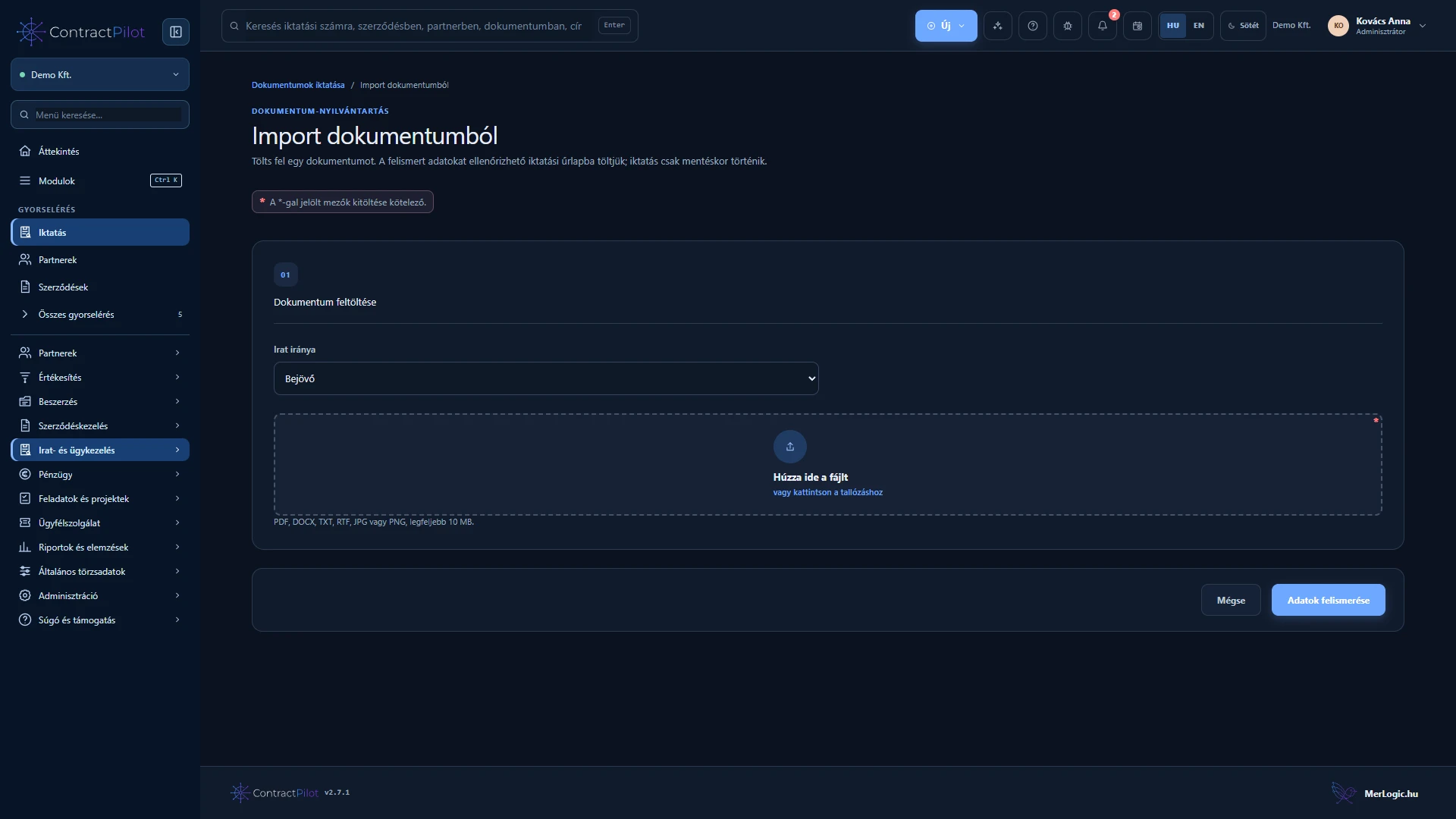
Document import shows recognised text and values in a copyable preview. Review suggested fields and the identified partner; creating a partner requires your decision and appropriate permissions. Text recognition does not replace reviewing the document.
Register NAV invoices
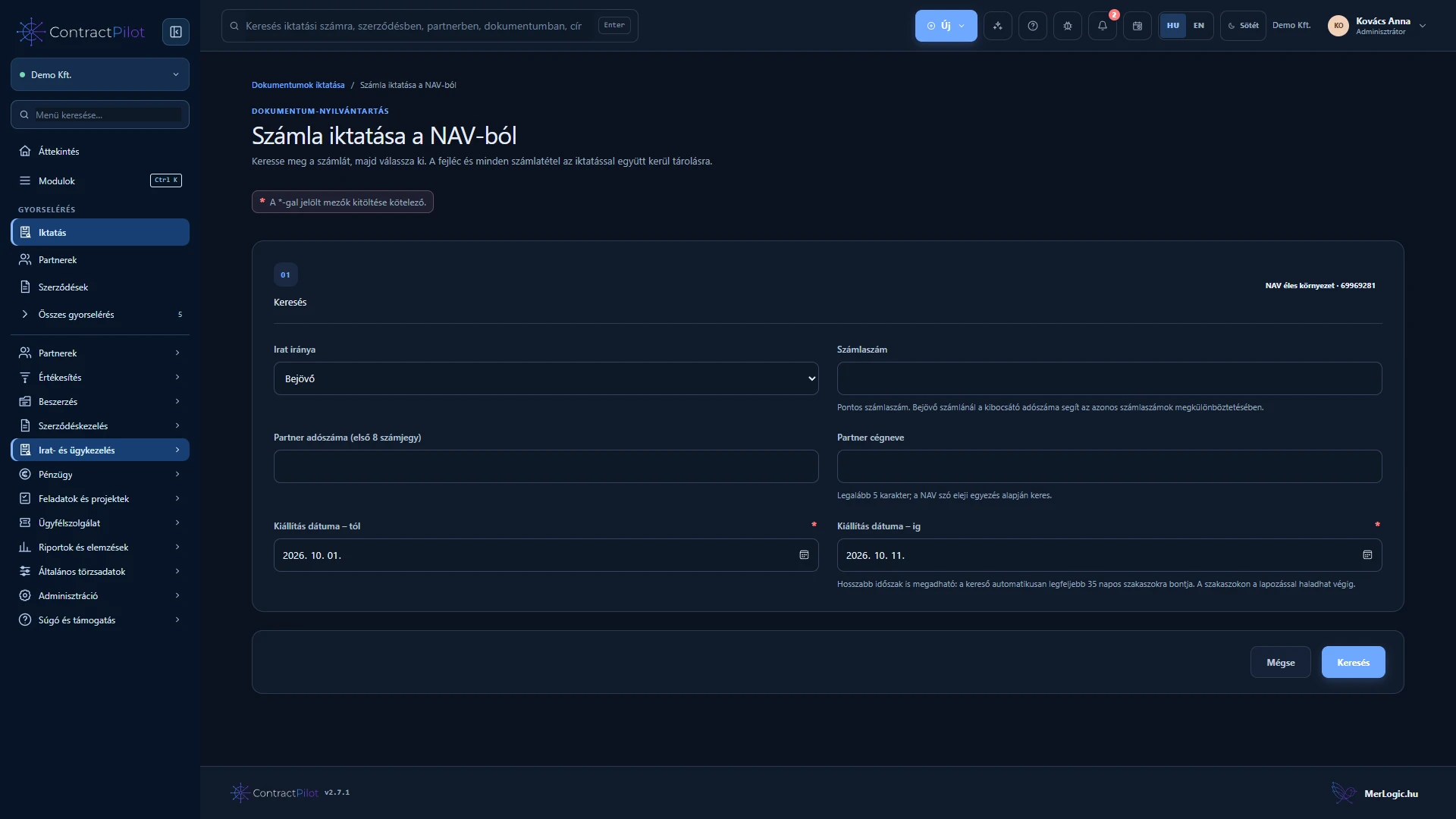
With a configured NAV connection, search incoming and outgoing invoices and save the selected invoice’s header and lines with its registration. Register instalment invoices separately and connect them to the same contract or case file.
Long search periods are divided into smaller intervals. Retrieving invoice data does not automatically provide its PDF. Account allocation and accounting export are separate finance steps.
Physical document handover and receipt
Record the handover time, sender and recipient. The first sender can default to the current user but can be replaced with the actual sender; subsequent handovers start from the previous custodian. The person recording the event is retained separately.
The recipient can confirm receipt. Chronological movement history shows handovers and custody duration where recorded times allow it. These records are also available in the Report centre.
Earlier registration dates and repeated references
An earlier day or year requires separate permission and a mandatory reason. The selected registration date and actual recording time remain separate, with a retained history. Future registration is not allowed.
If another record already uses an external reference, the system warns you and requires explicit confirmation before saving. This distinguishes an intentional repeated reference from an accidental duplicate.
Incoming invoice certificates and Outlook messages
Create a PDF performance certificate for an incoming invoice registered with detailed data. Check the recipient, add a note and explicitly confirm acceptance of the work. Sending requires your own active email connection and a separate sending permission; a sign-in email address alone is insufficient. After successful sending, the certificate cannot be changed or automatically resent.
Attach Outlook MSG files and open a readable message view or download the original, subject to permission. Message HTML does not execute; separate extraction of embedded attachments and automatic recognition from MSG files are not supported.
Availability and operating conditions
An assigned reference, register and direction cannot be overwritten, preserving record identity. PDF and image text recognition is optional.
Available functions depend on your organisation’s setup and your permissions.