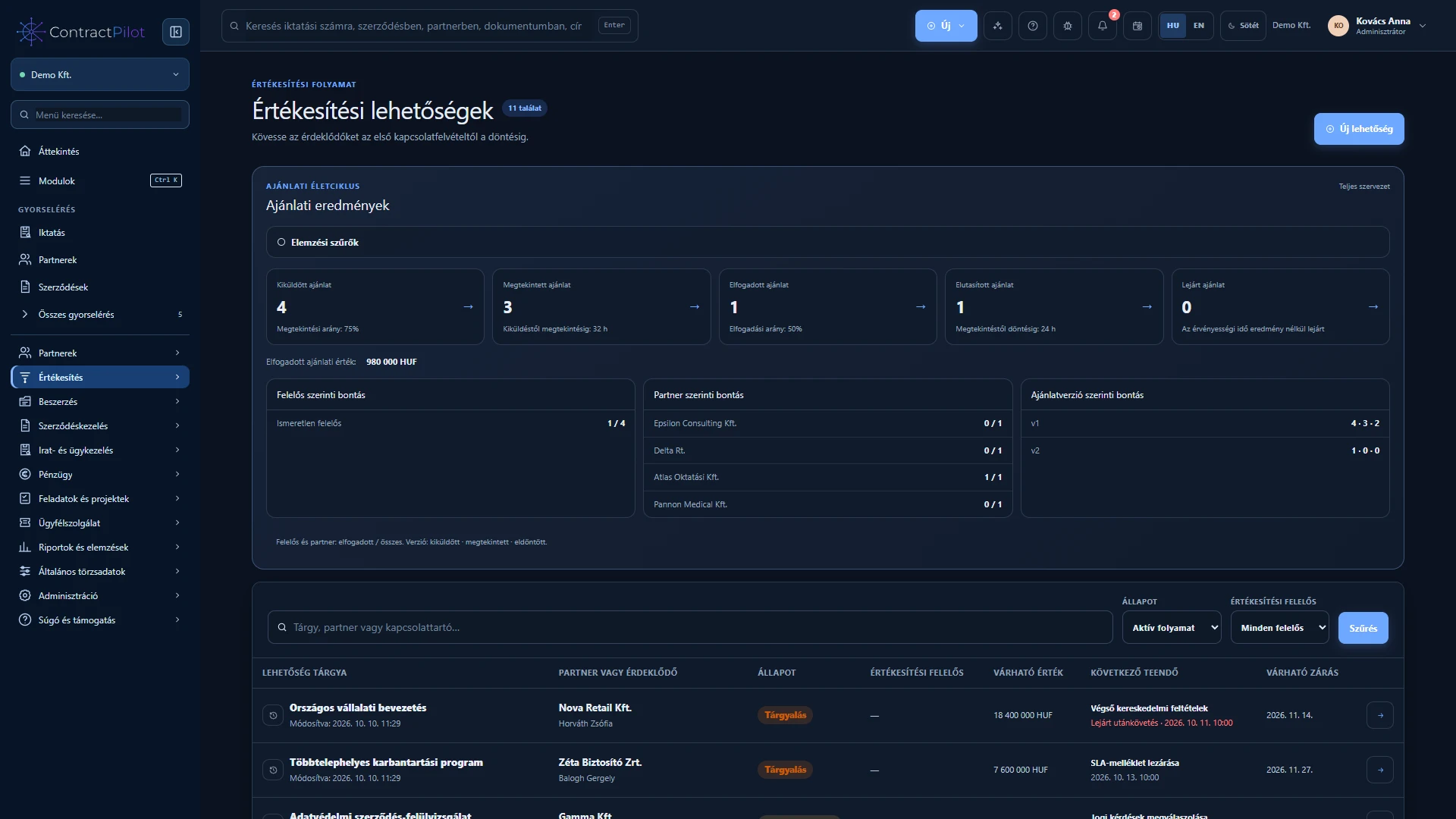
Record an enquiry before a contract exists and track its owner, expected value and next action.
What can you do in this module?
- 01
What should you record at the first enquiry?
- 02
How does the opportunity progress?
- 03
How does it become a contract?
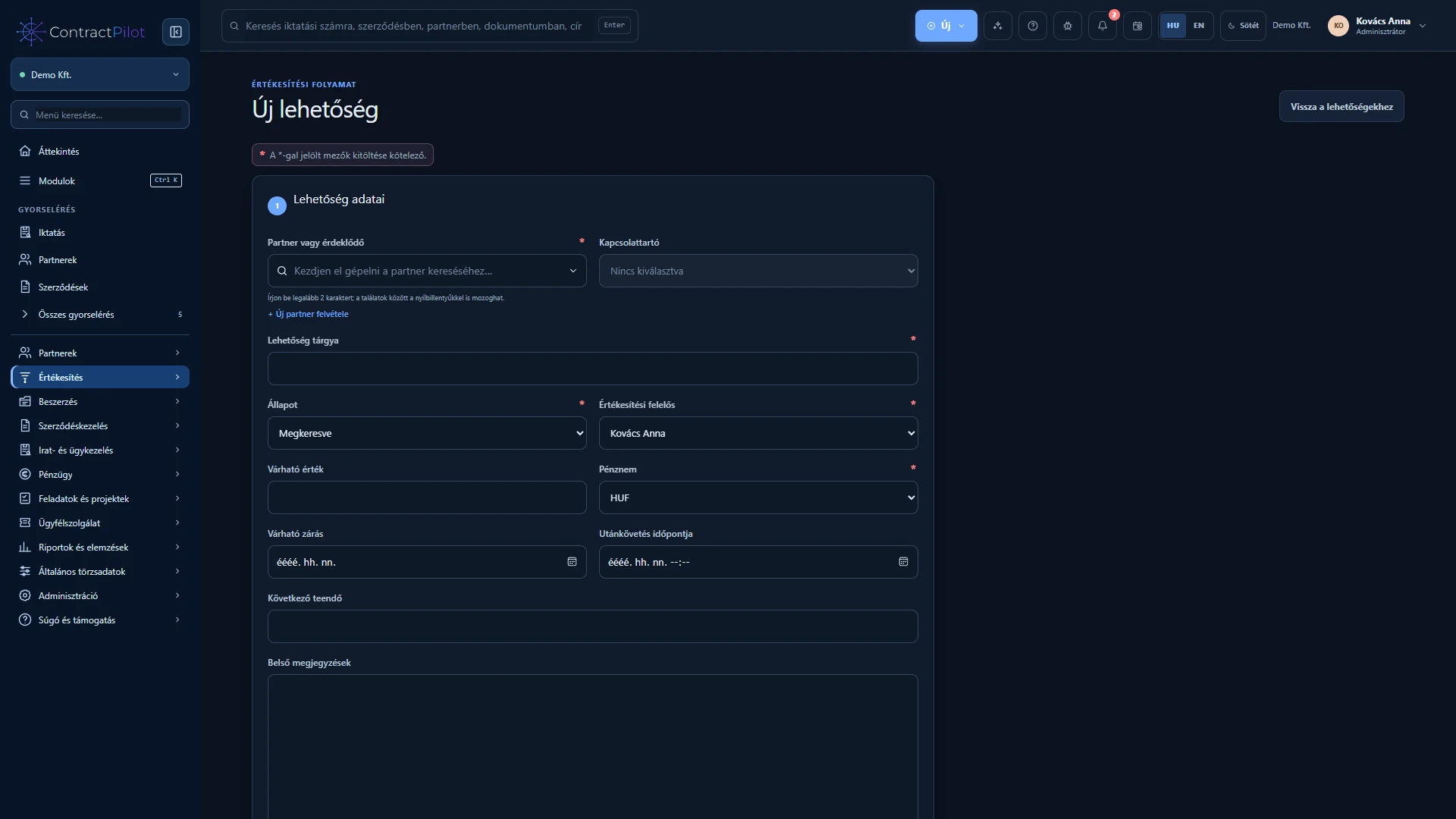
What should you record at the first enquiry?
Choose the partner and contact, give the opportunity a recognisable subject and assign an owner. Enter the expected net value, currency and closing date. The closing date is when a business decision is expected, not when service delivery starts.
Set a specific next action, such as a discovery meeting or proposal follow-up. A dated action appears in the calendar and can trigger an overdue notification according to the settings.
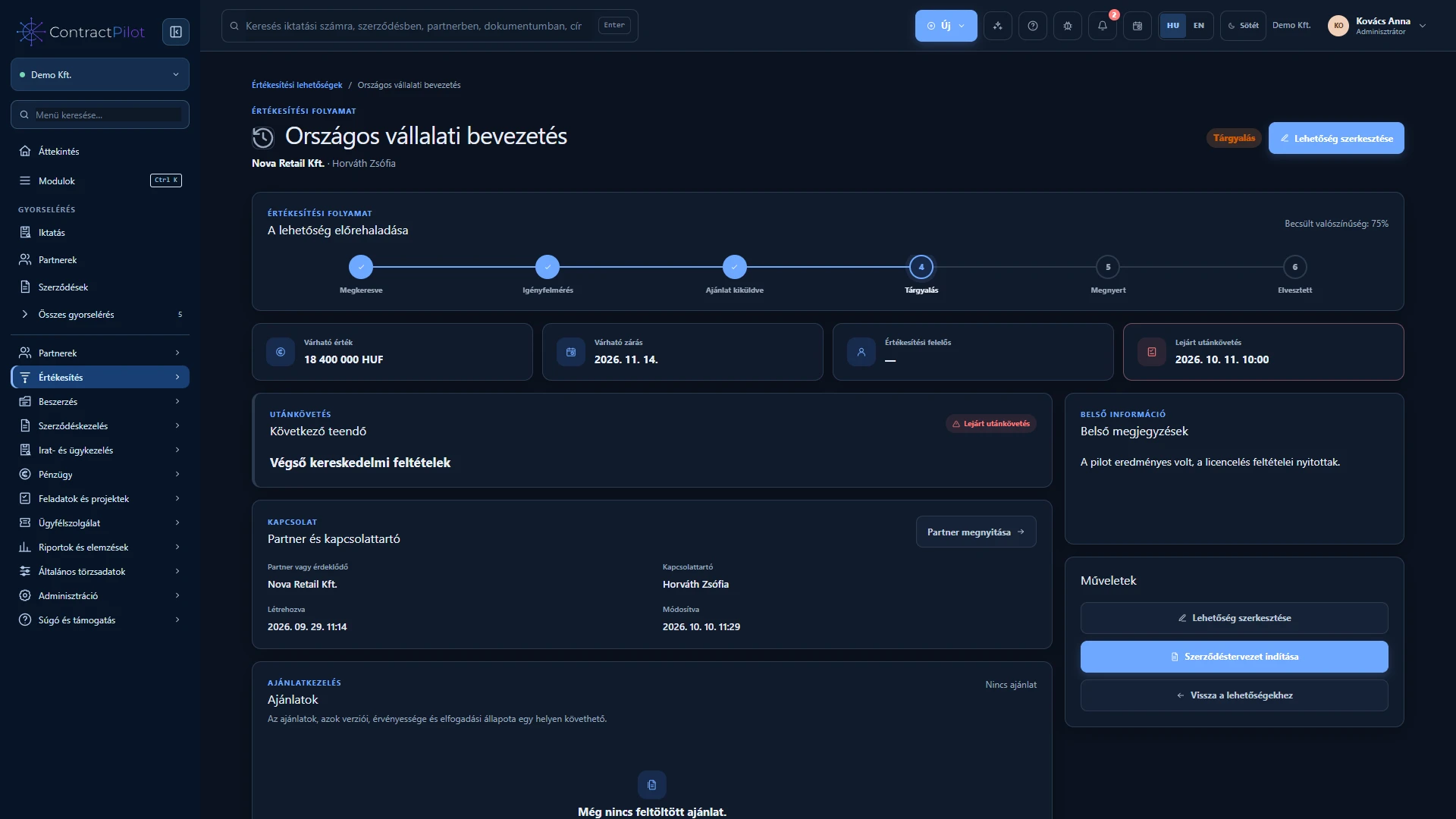
How does the opportunity progress?
Follow Contacted, Needs assessment, Proposal sent, Negotiation, Won and Lost on the same record. After a discussion, update the stage, estimate and next action together. Record the reason for a lost opportunity. Search and filter the list or use the Overview to review progress.
How does it become a contract?
Start a draft contract from an accepted proposal or a won opportunity. Partner, contact, subject, value and currency are prefilled; check the final terms before saving. The opportunity and contract retain links to each other. A lost opportunity cannot become a contract, and the opportunity must belong to the same partner.
Availability and operating conditions
Expected value is an estimate, not an issued invoice. Financial values and reports require appropriate permissions.
Available functions depend on your organisation’s setup and your permissions.