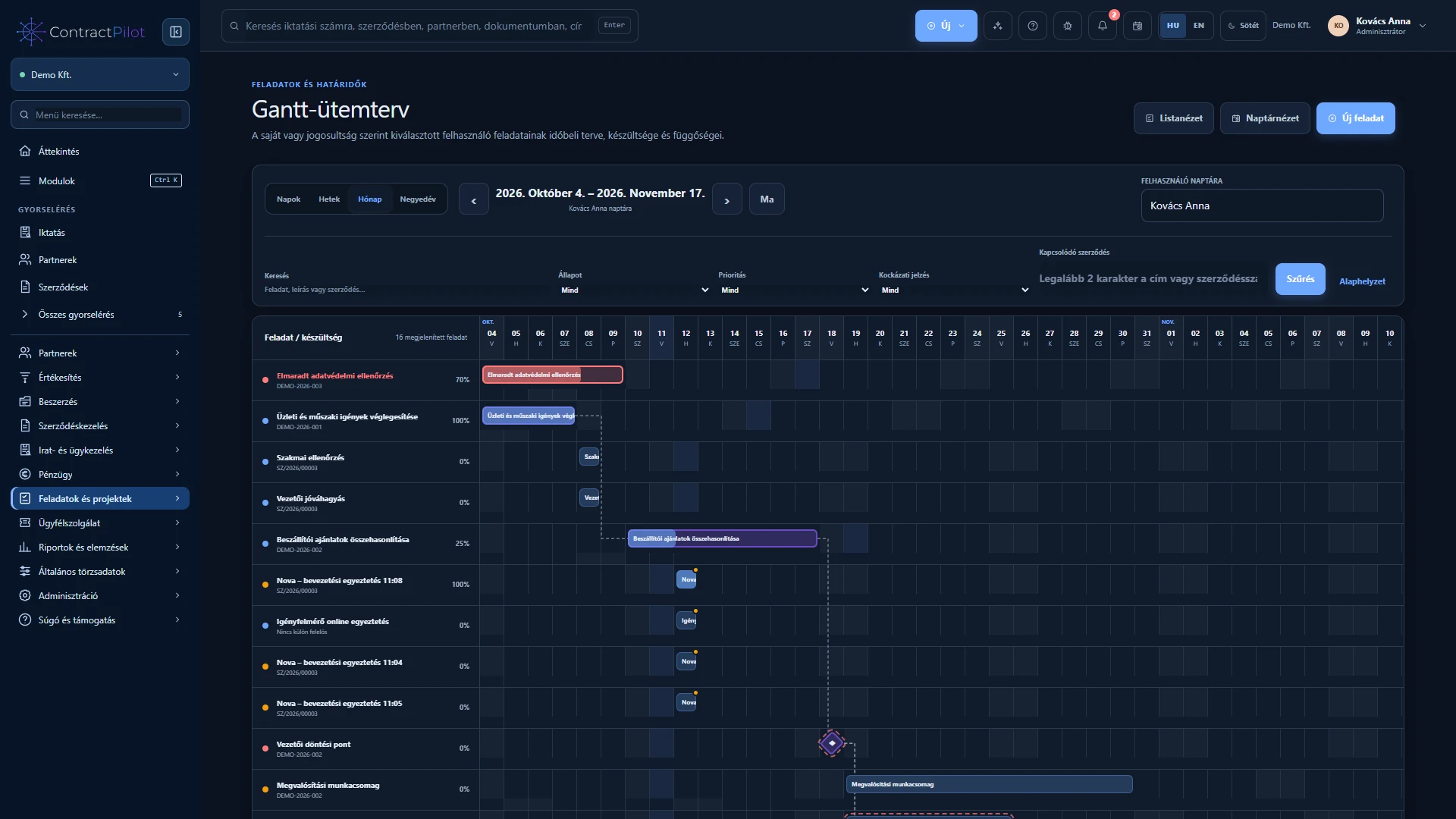
View planned durations and relationships on one timeline, and edit them with the appropriate permissions.
What can you do in this module?
- 01
Planned start, deadline, percentage progress, milestones and parent/subtask relationships.
- 02
Daily, weekly, monthly and quarterly scales, with task, description and contract search.
- 03
Move and resize task bars directly on the chart, subject to access checks.
- 04
Finish-to-start, start-to-start and finish-to-finish dependencies with time offsets.
- 05
Indicators for blocked and overdue work, overlapping tasks assigned to one owner and the longest dependency chain.
- 06
Circular dependency prevention, status checks, recorded date changes and progress metrics on the dashboard.
When is a timeline useful?
Gantt displays tasks and their dependencies on a timeline. Use it when work starts or finishes in relation to other tasks, or when several people’s schedules must be coordinated. Deadlines, progress and responsibility provide context together.
How should you adjust a schedule?
Scheduling changes require edit permission. Before moving a task, check its prerequisites and dependent work. Dependency and overlap indicators inform your decision; the responsible people still organise the actual work.
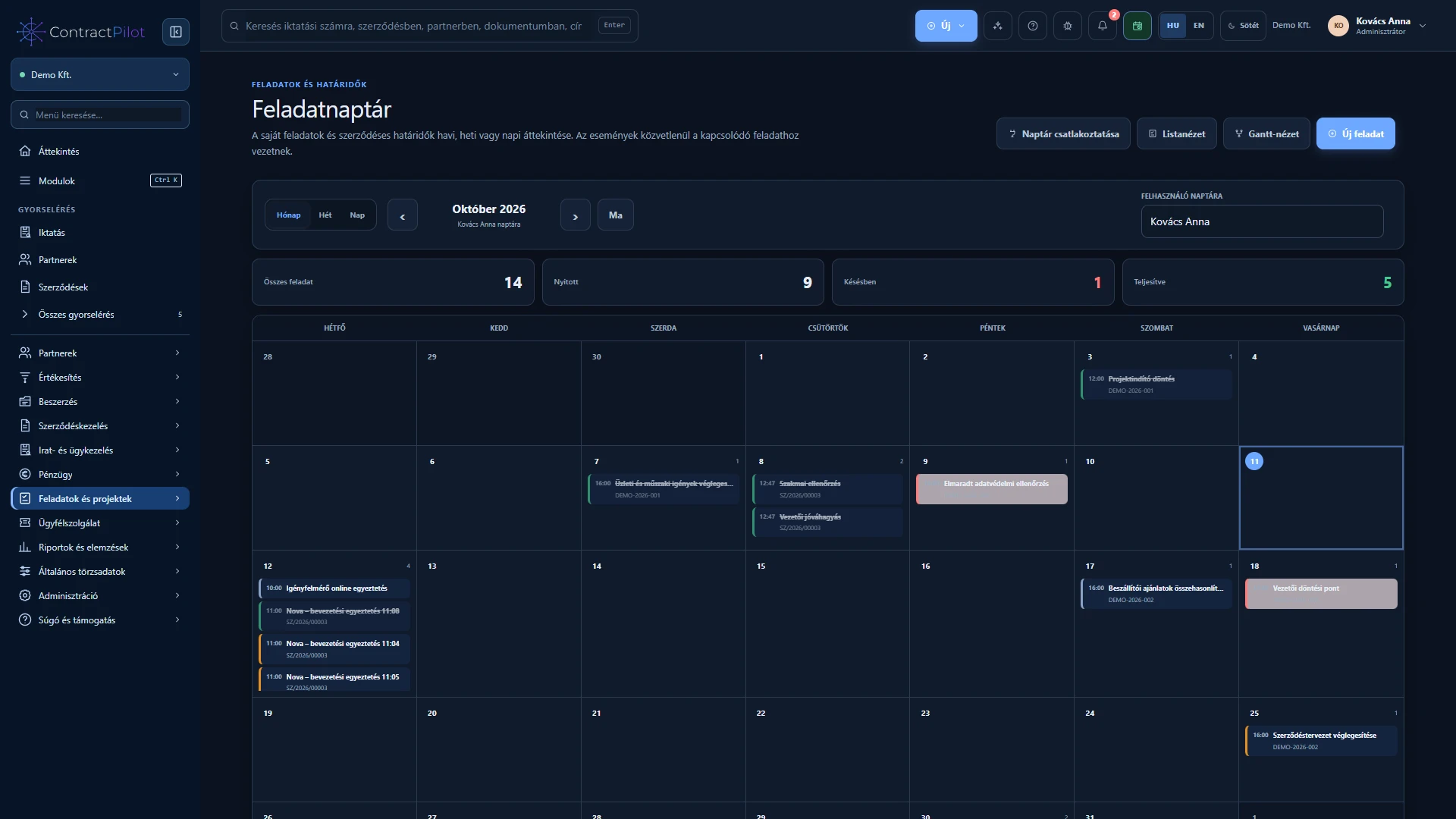
The calendar answers what needs doing on a date; the timeline explains how work fits together over time. They are complementary views of the same tasks.
Project work and planned versus actual effort
The Tasks and projects area connects phases, teams, milestones and shared tasks. List, Kanban, Gantt and calendar views show the same work; the Projects guide explains templates and notifications.
Add hour estimates and daily actual time to tasks. Project time views and the Report centre compare planned and actual effort. This is not per-person capacity, cost or payroll planning.
Availability and operating conditions
Editing dependencies and dates requires permission. Indicators reflect recorded schedules; the system does not promise autonomous resource optimisation.
Available functions depend on your organisation’s setup and your permissions.