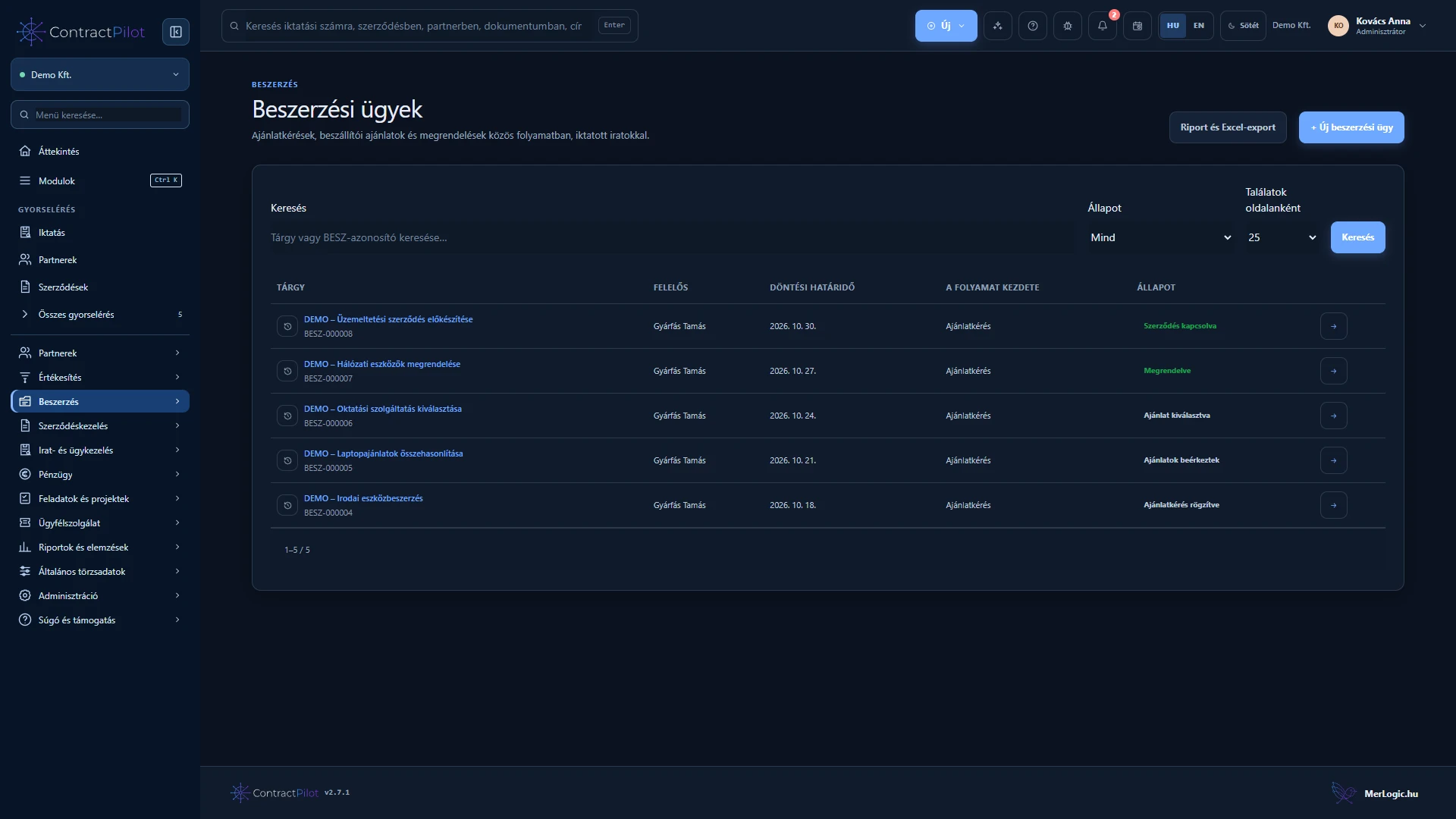
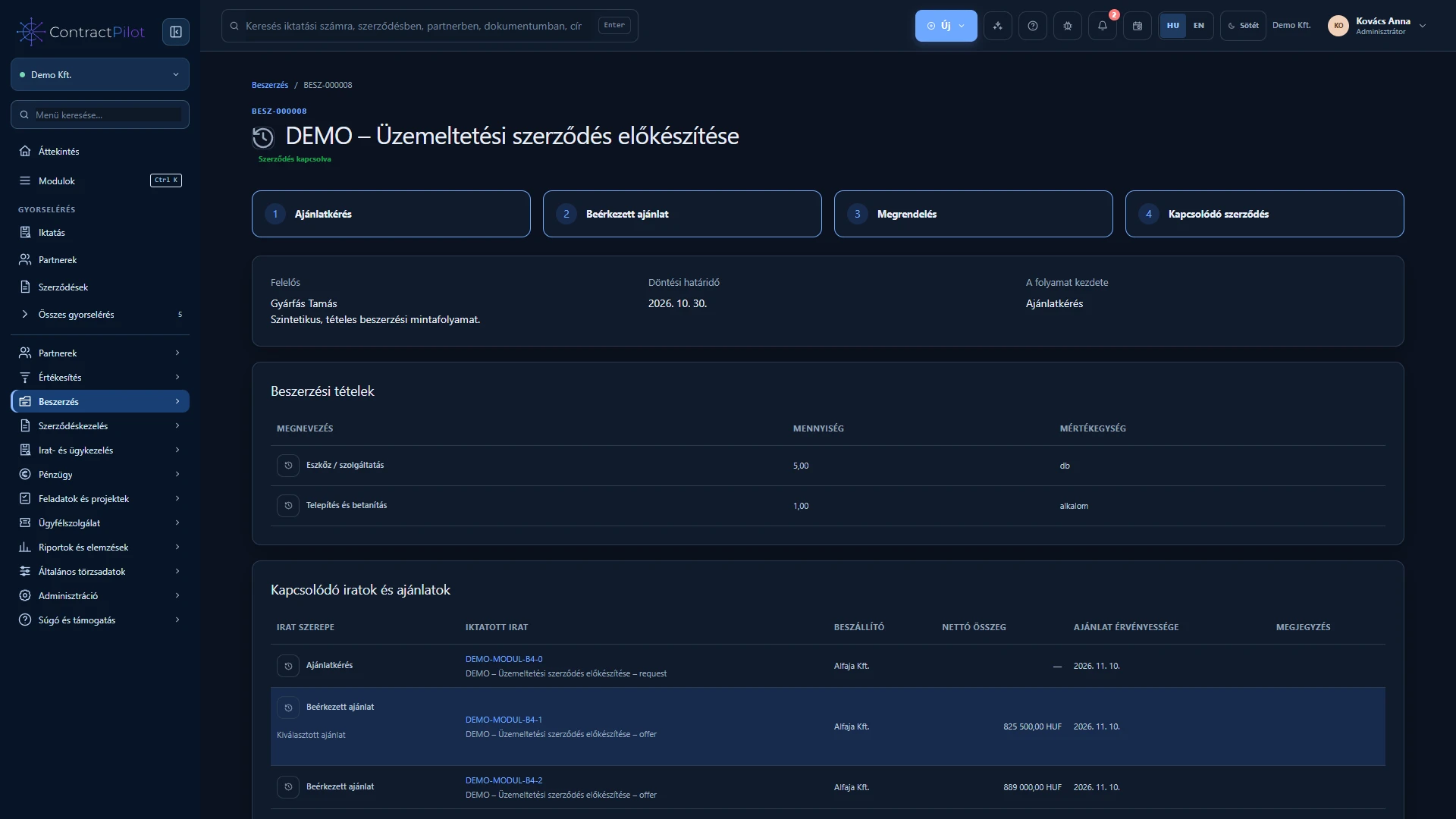
Procurement keeps the requirement, each supplier’s offer, the reason for selection and the resulting purchase order together in one case.
What can you do in this module?
- 01
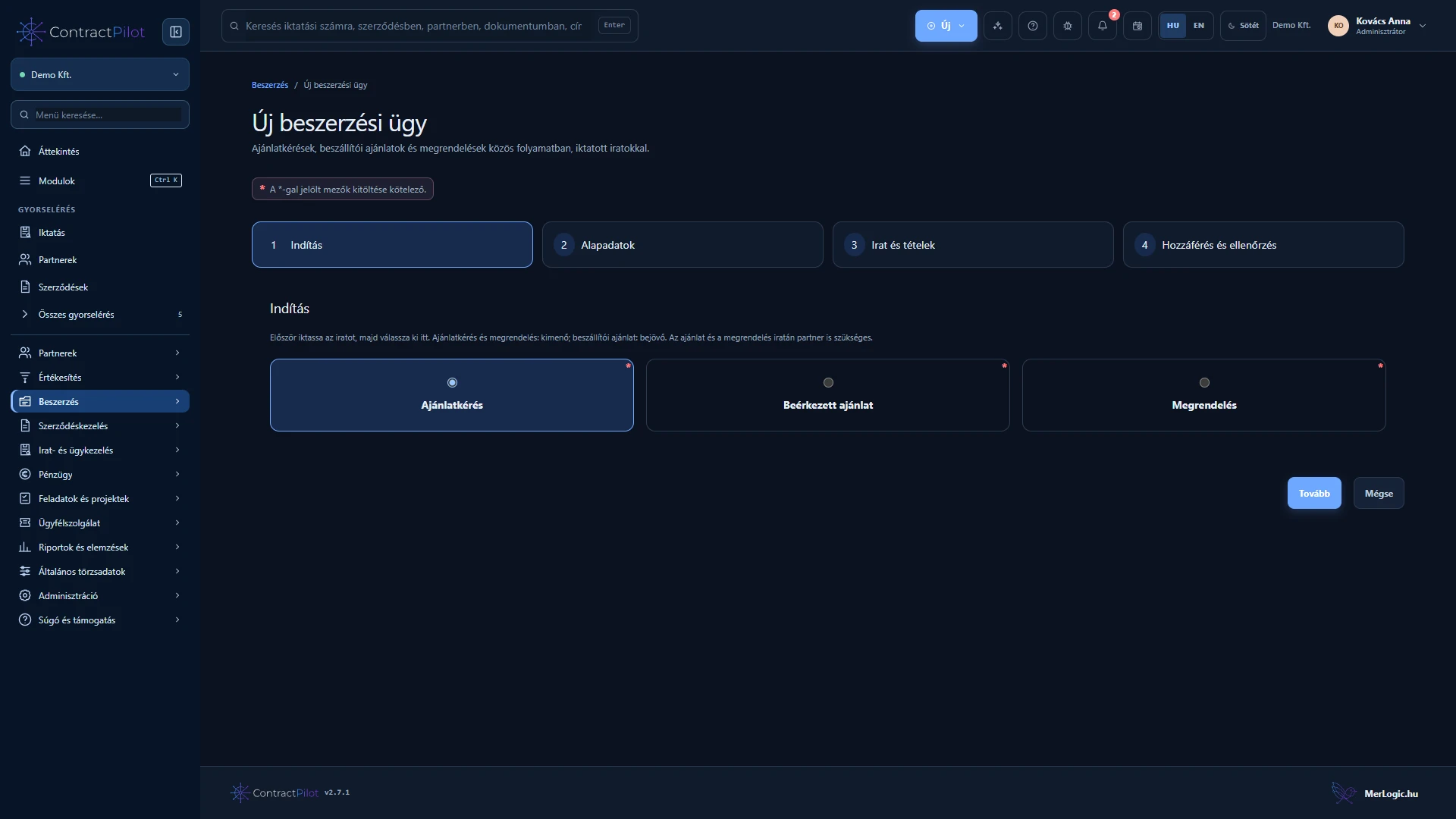
Start from a registered document in four guided steps.
- 02
Manage quantities, unit prices, tax and currency by line.
- 03
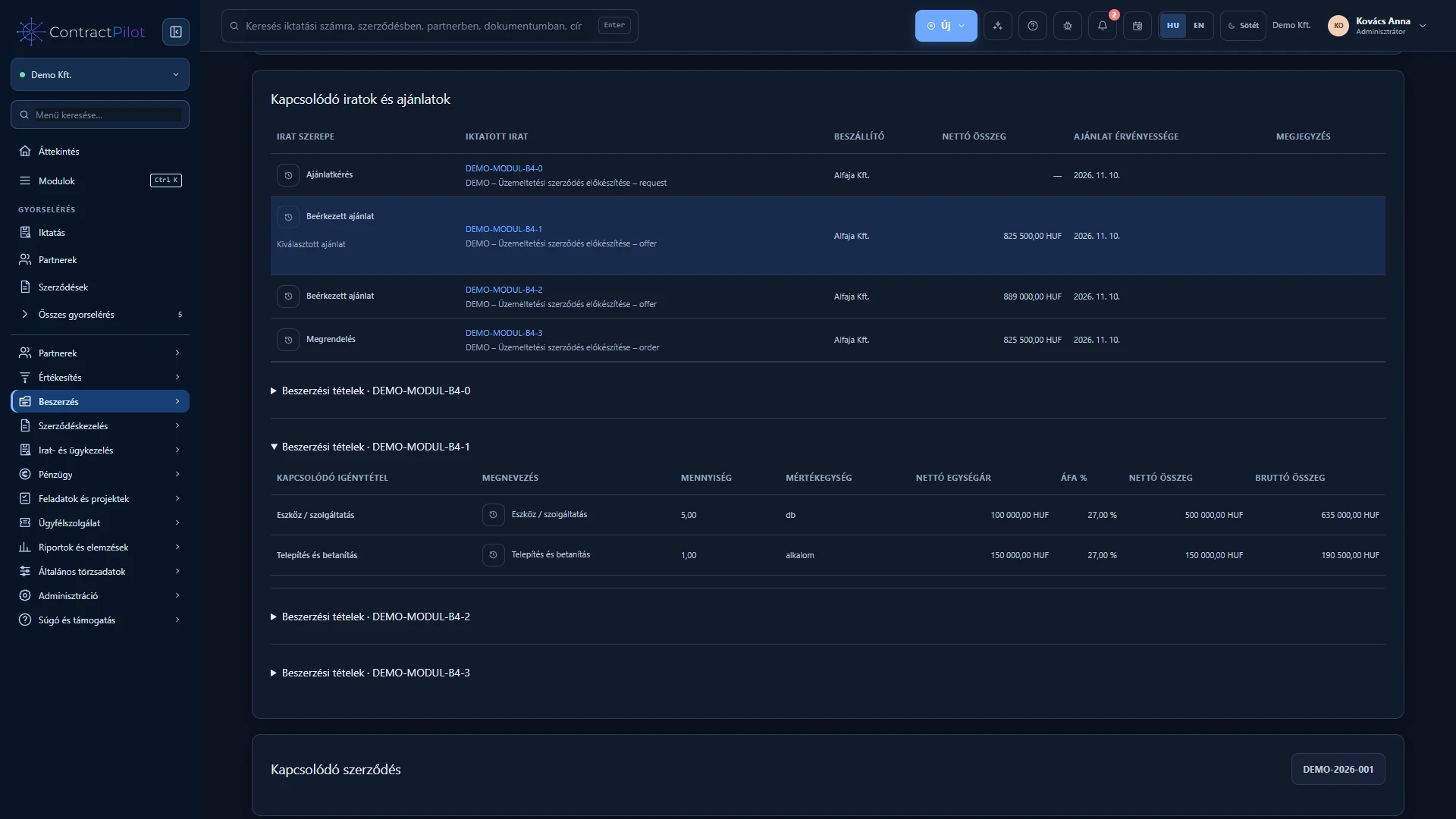
Connect multiple quotations, decisions, orders and supplier contracts.
Where can procurement start?
Start from a request for quotation, an unsolicited supplier quotation or a direct purchase order. Register the starting document first: quotation requests and orders are outgoing records, supplier quotations are incoming records. Files remain in the document register and are linked to the procurement case.
The four-step wizard covers the starting point, basic details, document and lines, then access and review. Choose an owner, describe the case and check the summary before saving.
What goes into requirement and quotation lines?
Enter a description, required quantity and unit. Quotations and orders also need a net unit price and tax rate. A request for quotation may leave the price unknown; this does not mean a zero-priced offer.
Connect supplier document lines to the case’s requirement lines. This shows which requirement is covered, in what quantity and at what price. Net, tax and gross totals are calculated from the lines.
How does a quotation become an order?
Record and compare multiple supplier quotations. Selection requires a reason; expired quotations or quotations that do not cover all requirements cannot be selected. The order is prefilled from the accepted quotation’s lines and currency and must match it as a complete order.
After ordering, link an incoming supplier contract belonging to the same partner. Linking preserves the history; it does not sign the contract. Cancellation and reopening retain the reason.
Collaboration and procurement reports
Share a case with multiple people and access groups. Linked registered documents and contracts still require their own permissions. History shows who created or changed a record and the reason for decisions.
The Report centre covers cases, documents, requirements and line items, with permission-controlled Excel export. Find approaching procurement deadlines or review quotations by supplier and currency.
Availability and operating conditions
A registered document and appropriate permissions are required. Partial orders, partial deliveries, automatic supplier document generation or sending, and line-by-line invoice matching are not available.
Available functions depend on your organisation’s setup and your permissions.