ContractPilotby MerLogic
← All features

Contracts & records

Custom fields and record templates

FROM PROBLEM TO SOLUTION
SOUND FAMILIAR?

Another separate spreadsheet?

The standard form is missing a field your team needs. The extra detail ends up in another file.

You have to piece the details together to see the full picture.

HERE IS HOW CONTRACTPILOT HELPS

Make the form fit the work.

Your organisation’s data structure, with conditional fields and versioned templates.

WHAT THIS MEANS FOR YOUR WORK

Your own data can become part of the shared record.

Conditional fieldsImpact review
Explore how it works
Explore all product features33

Adapt records to the information you need. Template changes can be reviewed while preserving the structure of earlier contracts.

What can you do in this module?

  1. 01

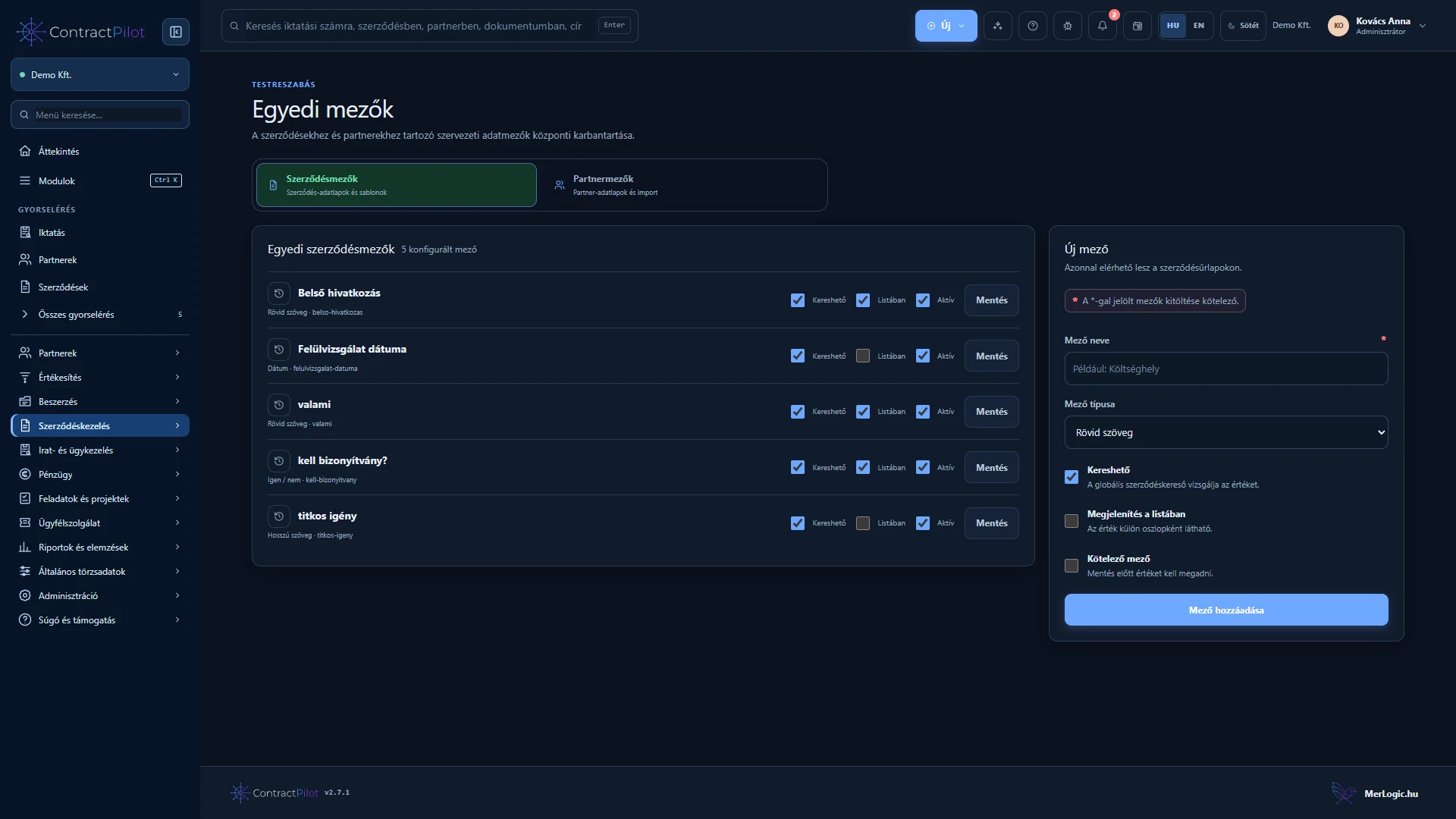
    Text, long text, number, date and yes/no fields for contracts and partners.

  2. 02

    Configure required fields, searchability, list columns and active status. Add extra fields to an individual contract.

  3. 03

    One- or two-column field groups, default values and a default record template.

  4. 04

    Conditional field visibility based on other values, with separate viewing and editing restrictions.

  5. 05

    Draft, publish, archive and create new template versions. Review changes and the number of affected contracts.

  6. 06

    Move earlier contracts to a new template after preview and required-data checks. Values of retired fields are preserved.

Adapt records to your organisation

Decide which information every contract requires and which applies only to particular types. Add fields to partners and contracts, such as text, numbers, dates or yes/no values. Required fields, searchable values and visible list columns are separate settings.

What does a new template version mean?

Changing a published record template creates a new version. Review the changes and affected records before applying it to existing contracts. Earlier values must be preserved and newly required fields checked. Conditional fields display only questions relevant to the situation.

A record template structures data collection. It does not write proposals or legal contract wording.

Multi-level categories and document types

Organise categories into parent and child groups. Selectors show the full path, distinguishing subcategories with identical names. Categories linked to records cannot simply be deleted; reclassification and merging help reorganise them.

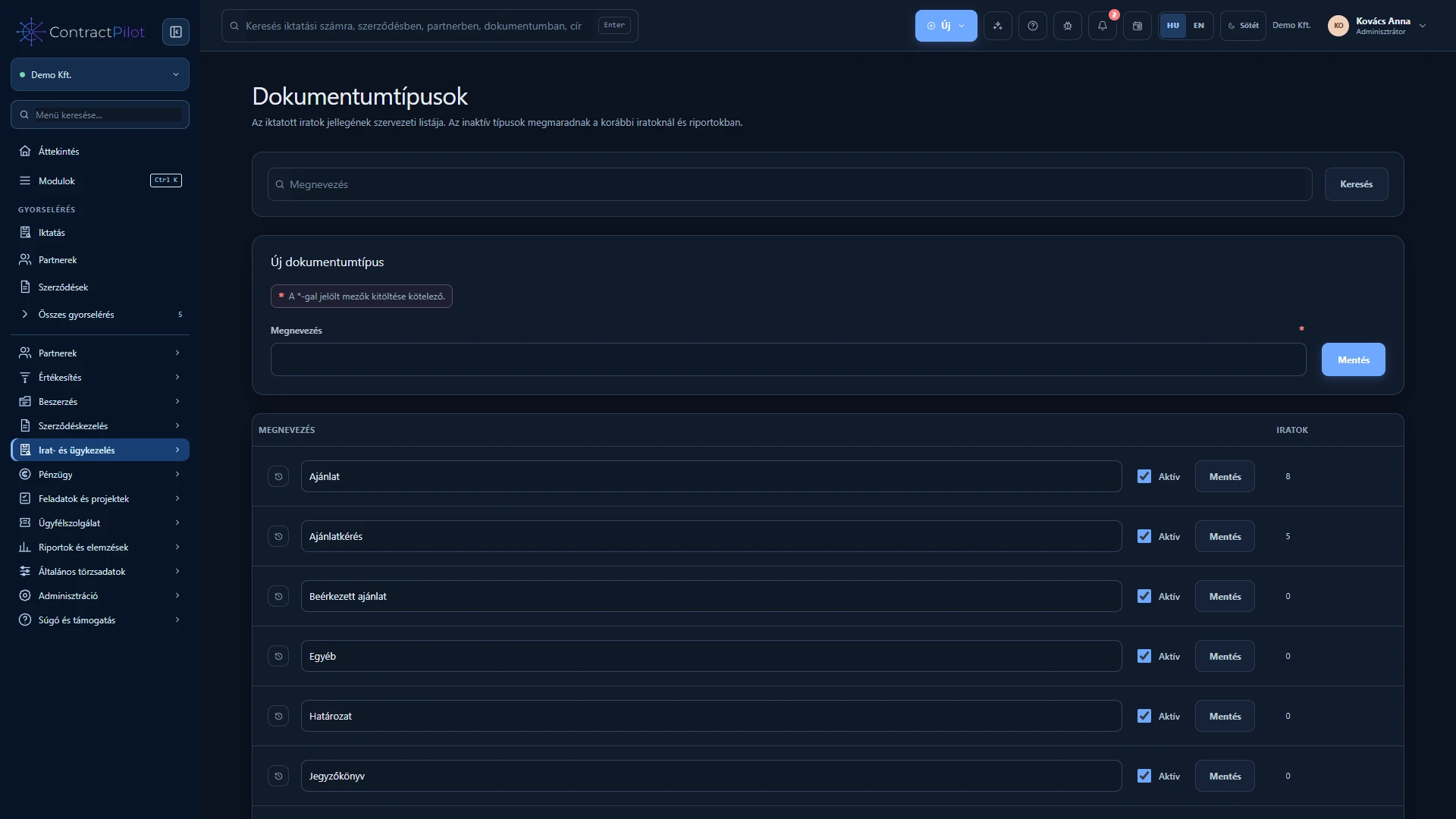
Registered document types form a separate maintained list, such as invoice, quotation request or received quotation. New registrations require both a category and document type. Types are also available as search and report conditions.

Availability and operating conditions

These templates structure data records; they do not automatically draft legal contract text. Published templates require a new version for changes.

Available functions depend on your organisation’s setup and your permissions.
INSIDE THE APPLICATION

See the interface in use.

Application screenshots with sample data. Click an image to explore the interface and related actions in a larger view. Images show the Hungarian interface; the application also supports English.

Custom contract fields
ContractPilot – custom contract fields, Hungarian interface: Extend contract records with fields defined by your organisation.

Custom contract fields

Extend contract records with fields defined by your organisation.

Related feature guide →
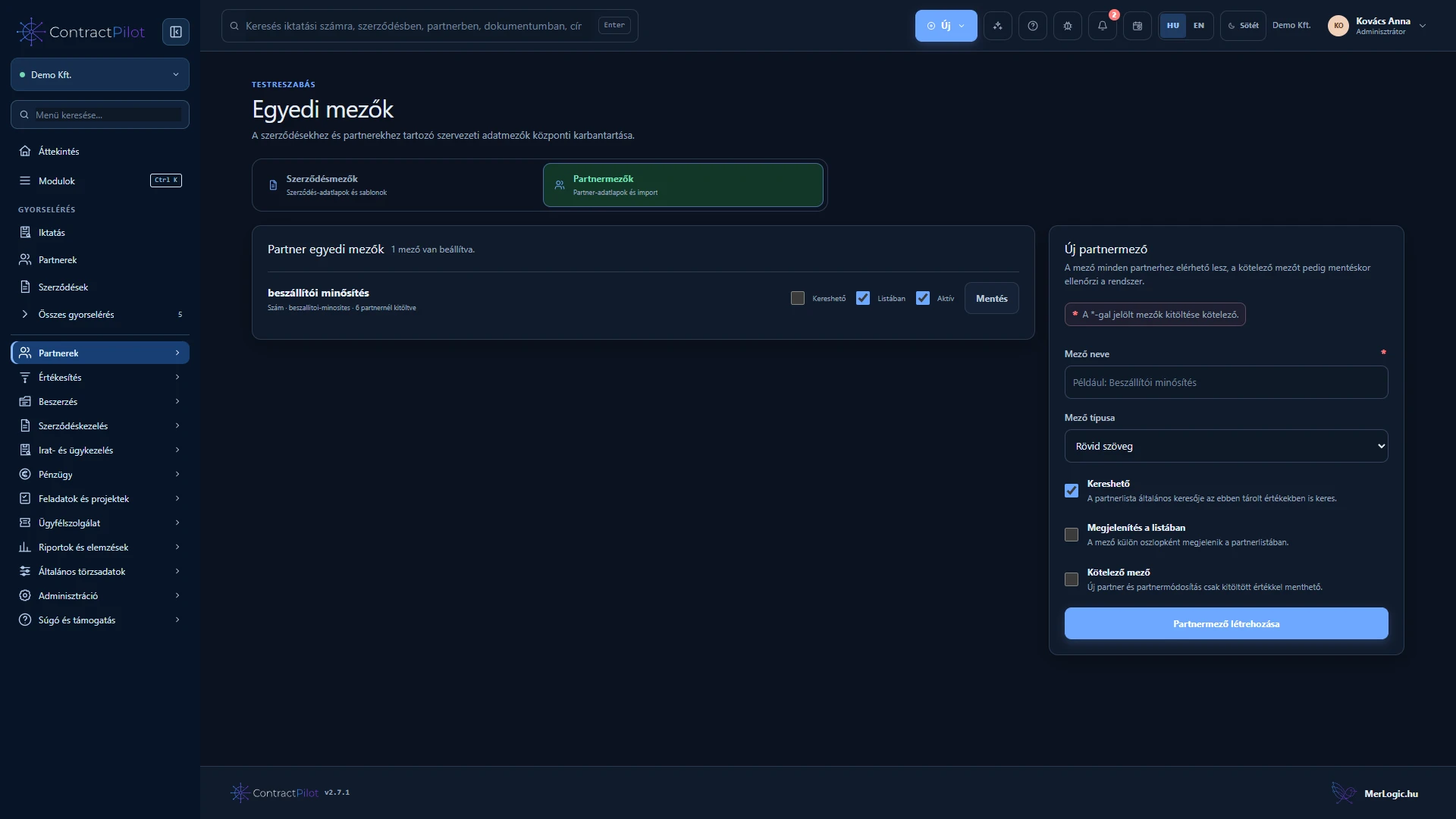
Custom partner fields
ContractPilot – custom partner fields, Hungarian interface: Define additional fields for partner records.

Custom partner fields

Define additional fields for partner records.

Related feature guide →
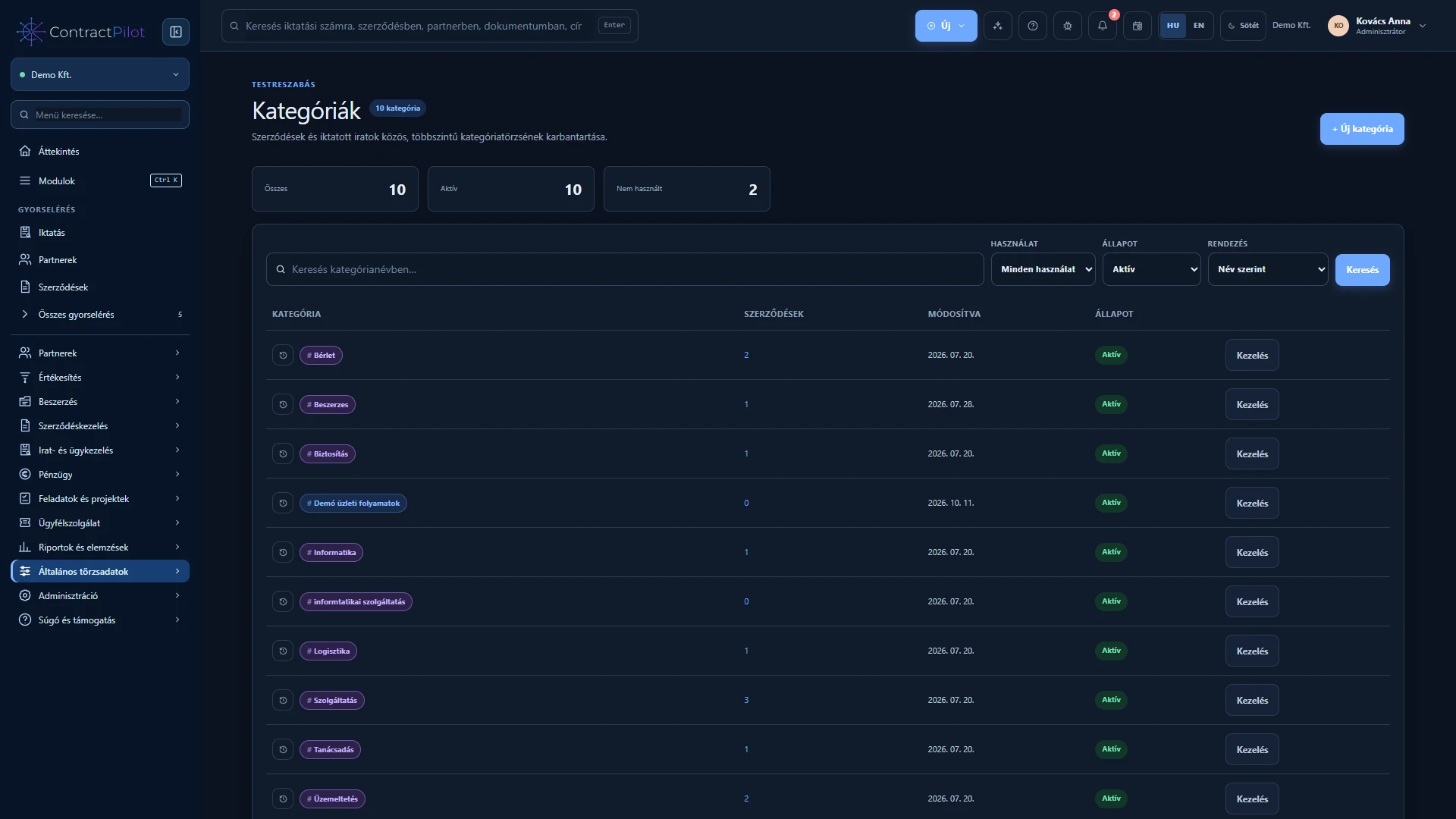
Categories
ContractPilot – categories, Hungarian interface: Organise contracts using your own categories.

Categories

Organise contracts using your own categories.

Related feature guide →
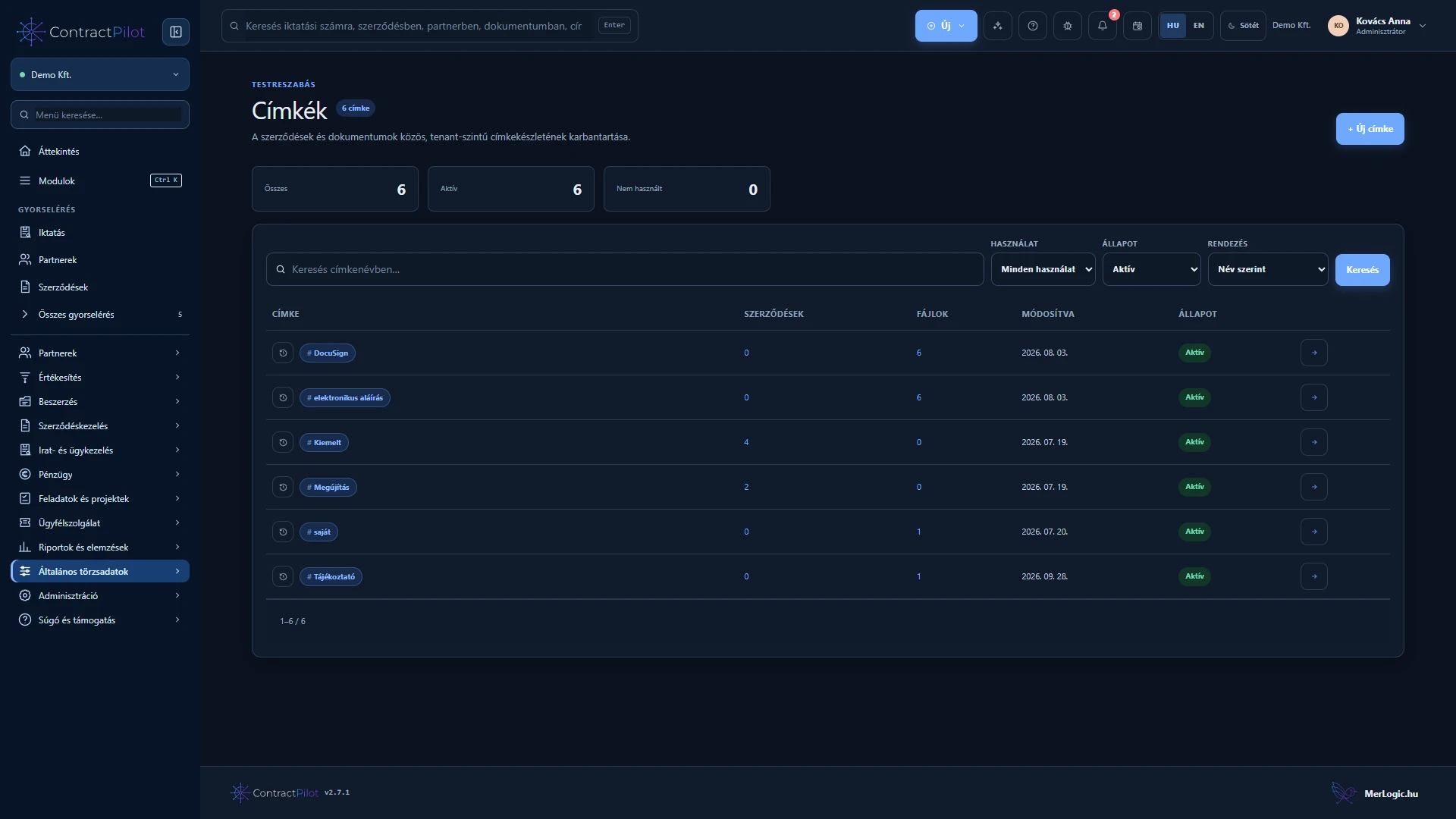
Tags
ContractPilot – tags, Hungarian interface: Organise related contracts and documents with shared tags.

Tags

Organise related contracts and documents with shared tags.

Related feature guide →
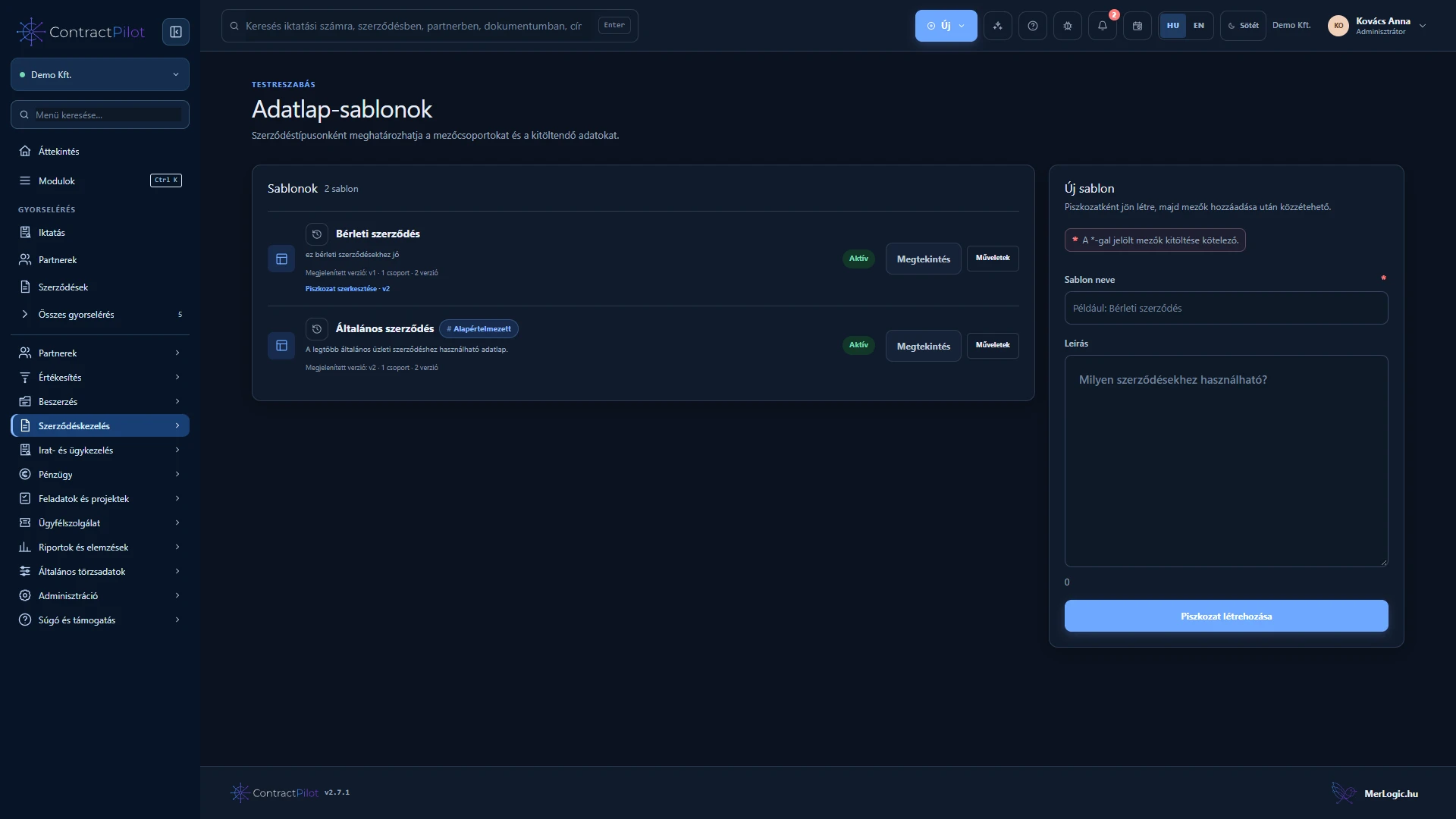
Record templates
ContractPilot – record templates, Hungarian interface: Templates and versions that define contract record structure.

Record templates

Templates and versions that define contract record structure.

Related feature guide →
Document types
ContractPilot – Document types, Hungarian interface: Configure document types to match your organisation’s rules.

Document types

Configure document types to match your organisation’s rules.

Related feature guide →
← All featuresSign in