ContractPilotby MerLogic
← All features

Work & finance

Automatic tasks and notifications

FROM PROBLEM TO SOLUTION
SOUND FAMILIAR?

The same manual step. Again and again.

Each business event means someone has to create a task or send another notification.

You have to piece the details together to see the full picture.

HERE IS HOW CONTRACTPILOT HELPS

Connect an event to its next step.

Configured business events can trigger tasks, notifications or status changes.

WHAT THIS MEANS FOR YOUR WORK

Configured rules and traceable automated actions.

Events and actionsNotifications
Explore how it works
Explore all product features33

Configured business events can trigger tasks, notifications or status changes.

What can you do in this module?

  1. 01

    What can an automation do?

  2. 02

    What happens if an event repeats?

  3. 03

    What remains a human decision?

What can an automation do?

A rule connects an event and conditions to a configured action. For example, progress in a business process can trigger a task or notification. Design the rule together with the process and its responsible people.

What happens if an event repeats?

Processing protects work from accidental duplication. Reprocessing the same event must not generate an unlimited number of tasks or repeated outcomes. The process owner should still review the event history and resulting work.

What remains a human decision?

Creating a task, approving work and performing an external action are different things. Automation does not replace checking contract terms or approving performance and invoices. Protected workflow tasks must be completed through the corresponding process step.

Availability and operating conditions

Automations require configuration and appropriate permissions. A public programming interface and outbound event connections are not currently available features.

Available functions depend on your organisation’s setup and your permissions.
INSIDE THE APPLICATION

See the interface in use.

Application screenshots with sample data. Click an image to explore the interface and related actions in a larger view. Images show the Hungarian interface; the application also supports English.

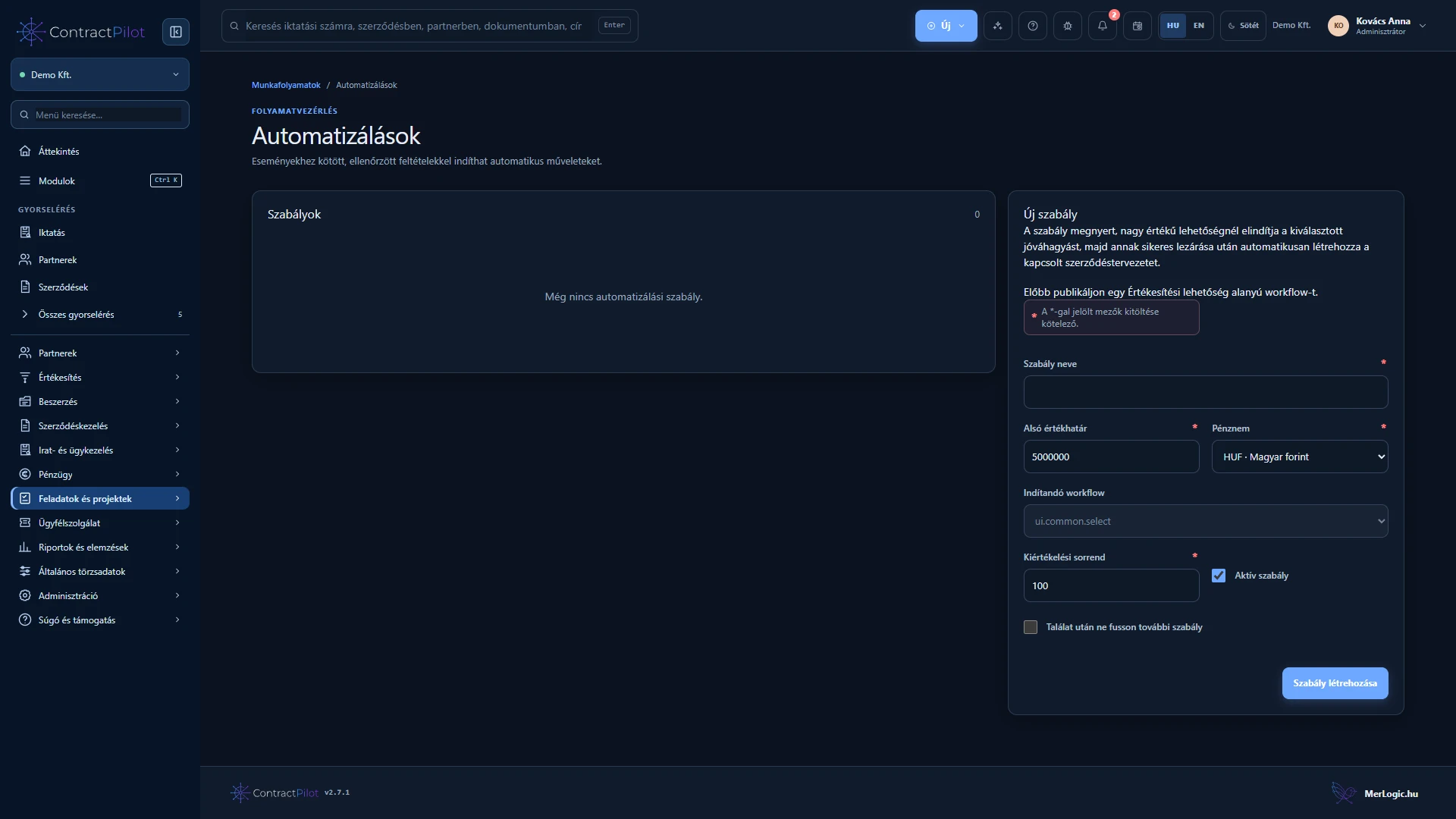
Automation rules
ContractPilot – automation rules, Hungarian interface: Create rules for actions triggered by events. The image shows the starting rule-management view.

Automation rules

Create rules for actions triggered by events. The image shows the starting rule-management view.

Related feature guide →
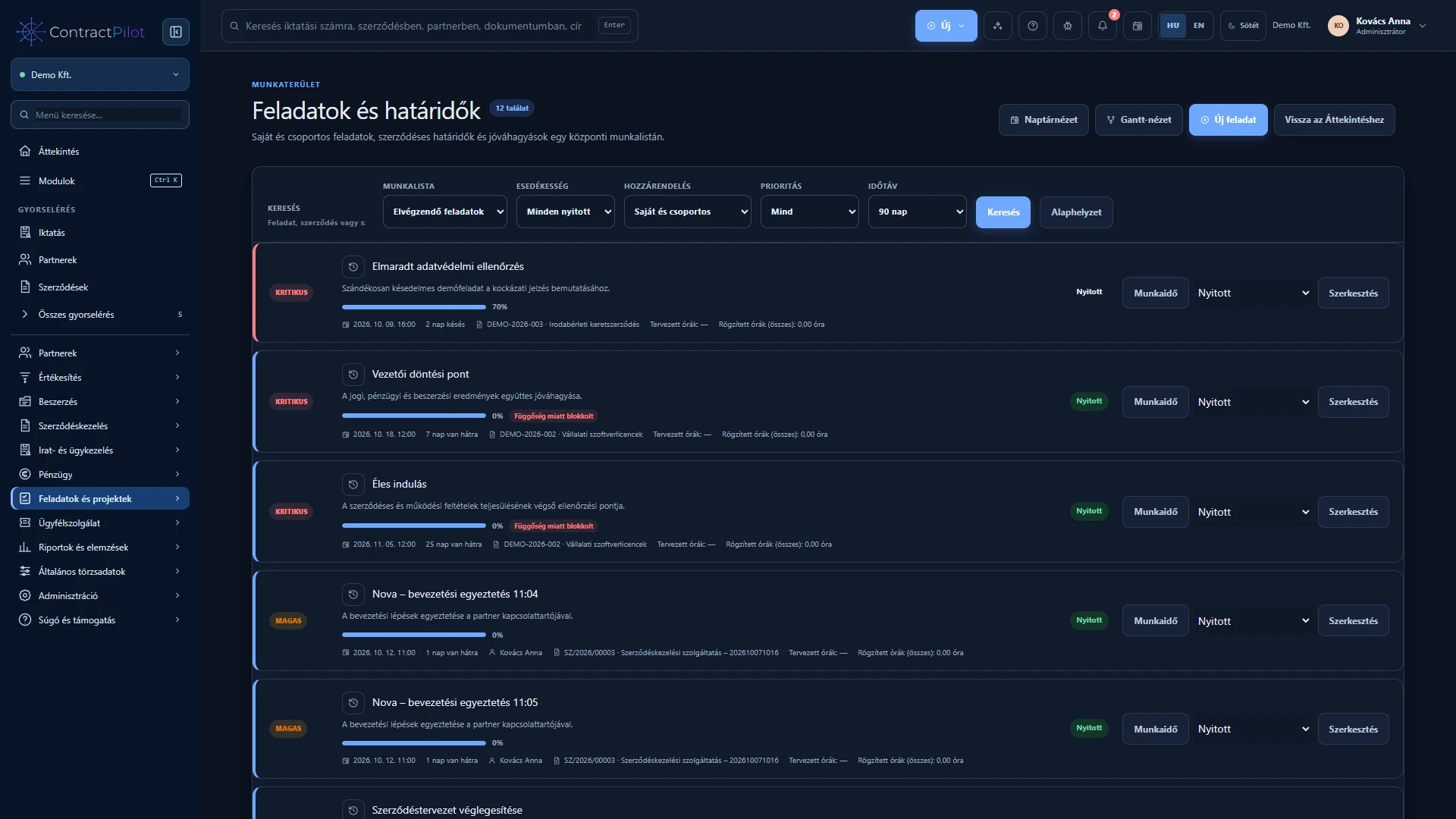
Tasks and deadlines
ContractPilot – tasks and deadlines, Hungarian interface: A worklist of actions, owners and deadlines.

Tasks and deadlines

A worklist of actions, owners and deadlines.

Related feature guide →
← All featuresSign in